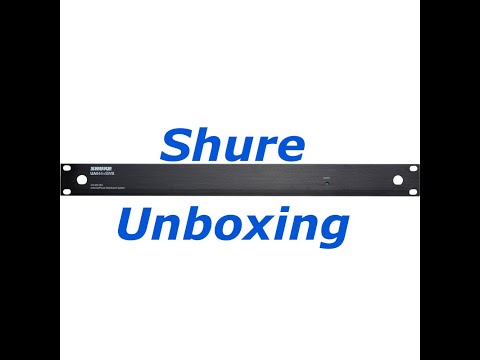
4x Shure QLXD and UA844+SWB setup | qlx-d antenna and power distribution setup
🔗 Links Mentioned
Affiliate link — we may earn a commission if you purchase through this link, at no extra cost to you.
📝 Description
Affiliate link — we may earn a commission if you purchase through this link, at no extra cost to you.
Discount Coupon code ($50 off $500): GET50TGBATG
In this video, we setup 4x Shure QLXD systems with a Shure UA844+SWB antenna and power distribution unit. The setup is temporarily staged in a tabletop rack and later to be permanently installed in the location properly.
For the detailed items included in each unit, see the unboxing videos of each product.
This video is not sponsored and all items were purchased to be used in local projects.
Overall this is a great solid system, and works perfectly. The Antenna and power distribution unit is a great combination for these units, and can be used in tiered configurations for larger installations.
The setup was later networked together using the network ports and connected to other systems to be used with wireless workbench. Great setup with solid gear for awesome performance.
If you're working alone or hate dropping screws be sure to pick up the Makita Impact Gold Bit holder:
https://amzn.to/3bgrmeZ
If you want to get a kit with different bits, get this: https://amzn.to/3bmFsvJ
These bit holders are GOLD when you're working alone.
SHURE UA844+SWB
The UA844+SWB UHF Wideband Antenna Distribution System from Shure is for the expansion of a Shure wireless microphone system. It can be used to split one pair of antennas to multiple receivers and amplify the RF signal to compensate for the insertion loss.
A single UA844+ system can support up to five wireless receivers. A maximum of five UA844+ systems may be used in a two-tiered configuration. The system is compatible with the Shure QLX-D, ULX, ULX-D, SLX, and BLX4R wireless receivers.
SHURE QLX-D
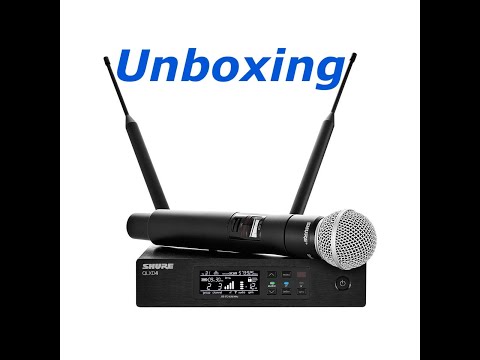
he Shure QLXD4 is a digital half-rack wireless receiver housed in a rugged, full-metal chassis and compatible with QLXD1 bodypack and QLXD2 handheld transmitters. It provides instructors, presenters, and broadcasters with professional-quality audio, reliable RF performance, and secure AES 256-bit encryption. Easy to set up and operate, it is ideal for use in TV broadcast or sound-reinforcement applications in medium-sized venues and houses of worship, as well as A/V installations in conference, educational, and corporate facilities.
The QLXD4 operates in the G50: 470 to 534 MHz UHF band with a 64 MHz tuning range and 2560 selectable frequencies. It delivers pristine 24-bit/48 kHz digital audio with clarity, accurate low end, and crisp transient response. The receiver utilizes Digital Predictive Switching Diversity to protect the transmission from interference and provide solid RF signal stability without audio artifacts. You can run up to 60 mic channels at the same location.
The unit features audio and RF meters, 60 dB of gain control, and both mic/line XLR and 1/4" instrument outputs. A large LCD screen and intuitive controls let you quickly make adjustments, even in low-light situations. Additional features include automatic frequency scanning, IR sync, and internal limiting to prevent clipping.
The Ethernet port allows multiple receivers to be easily networked together for simplified frequency coordination and deployment via Shure's Wireless Workbench (WWB) software.
🎬 Related Videos
📝 Video Transcript
hey guys welcome back the channel on today's episode we're gonna be working with this what is this this is for QL XD 24s and 50s and the G 50 band and a UA 8 4 4 + s WB antenna combiner and power distribution system alright guys so we got 4 handheld wireless systems here an antenna combiner system we're gonna try to rack mount or put them all together as a rack unit and then connect it to the antenna distribution system these are in G 50 band if you don't know which water systems to buy in your it for yourself or which band to buy them in just go and check whichever manufacturer you're gonna buy them from so if you're gonna go to if you're gonna buy something from Sheriff go look up just Google sure frequency finder if you're going to buy something from Sennheiser I think they have a frequency list manager or frequency find or something like that in there so just go put your your address so wherever you gonna put use the units in there and it'll automatically tell you which ones it thinks you should get how does it do that it pretty much has that list of channels being used register channels being used in the area from the government FCC or wherever they get that database from and then it'll try to find the cleanest channels or to clean this band for you meaning you could use let's say hypothetically 10 this may not be this may not apply to you or just made the Steelers numbers I'm making up you can maybe use 10 in the G 50 band or maybe you can use 8 in the H band or I don't know 12 and the J band or whatever so the school figured out put your information in there and then it'll tell you which band can buy your systems in so hopefully that helps you guys out well for this we're gonna be working G 50 bin and we're gonna put it all together see how it works for us we're going to be networking them together so that we can connect them to Cheryl or that's workbench and kind of work manage all the systems in the area this one is just going to be for systems there's going to be other systems in the area so we're gonna have to uplink all those systems together eventually that's gonna be maybe in a different video later who knows sometimes but for now this is what we're going to be working with let's get to it so here something so here's something interesting guys put two there's two wreckers that go on on the sides of the unit's the screws already in there so you gotta take those screws off and then put the right gears on them put them on but the interesting thing is each unit though for the whole bottom set it takes 16 screws I'm not saying that's overkill cuz I'm sure it makes it really sturdy but that's a lot of screws so if you're going to be doing a lot of this make sure you have like a drill or screwdriver handy because you can be doing a lot of it so let's keep going so since I'm doing all this work by myself if you got a drill make sure you have one of those attachments out with the magnetic end so that it keeps the screw on there all right like this look at that even though I should get really hard it's not going anywhere when you're working by yourself these things are gold literally pun intended you know Makita gold impact sleep it so is able to do all that real fast meaning because this thing is really helpful all right so if you don't got one of these magnin tube it's bit holder things that hold your screw in the place make sure you pick one up I'll throw a link in the description below I got this one for me inside alright guys so this is what 4q elects the four units looked like when they are rack-mounted together with a and antenna power distribution up top this is the UA 8 4 4 plus SWV this is pretty much waste look what it looks like this is not what we're going to be leaving it in permanently this is just my staging Rex eyes kind of everything here to put it all together and then when we go to the location on site will transfer it into the real rock unit but this is just for staging so we do a lot of this work here and then we're gonna connect the antenna cables so let's keep going so when you're doing something like this so you don't cross mingle or you don't connect the wrong antennas in the wrong way generally when I do this I like to do all of either one side for us all in ten eight or all Intendant be that way you don't actually only connect one antenna 10 Tanabe and the other diversity antenna to the other antenna B and then you really got no antenna a so make sure you keep some kind of system to keep it together so we're gonna do all antenna a here first I'm not sure how much this is gonna come out we'll do all than ten a first alright so that's what it looks like when all the RF ports are connected okay and it looks like a cable management nightmare but usually it's gonna be in the back of a rack and the back of racks usually gonna be closed or underground or what I don't know underground under something so you probably won't see it that much but just showing you that's pretty much what's gonna look like there's two cables for each unit so I mean just imagine how many cables you have so here's a quick tip if you're doing like the cure lxd units you want to use the ones where there is a locking barrel connector on one end in a 90 degree angle non-locking barrel connector on the other end or else because the input jack of the QL XD is not a locking connector I'm not sure I don't think you're going to be getting enough connection with the locking jack because locking dec 4 2013 2 the intent or power distribution unit and here is a barrel connector that plugs in non-locking 90-degree barrel connector that plugs in to the back of the q LX d on the other ones there's two locking the barrel connector so you don't want to use that when you're working with the QL XD okay I'm sure if she's for something I'll know if it's your lxt or BLX or something but for a key of XD you want one locking barrel and other side non unlocking barrel alright guys so this is why for qxt half rack unit receivers and the UA a 4 4 + SW be back of the unit looks like when you connect four of the units together with the power ok I'll show you the front the front and look obviously much nicer and that's what the front looks like if you don't worry about the back front looks pretty nice alright guys so that's pretty much how what it looks like when you connect four of the QL XD 4 units together with this UA 8 4 4 + s WB antenna and Power Distribution unit so this is what it looks like obviously in the back is a mess but hey we parted on for the first time looks like everything works I'm gonna network them together later and then we'll try to figure out how to do Wireless won't bang people figure out the frequencies in that kind of self and deploy it so quotes videos help you guys out and generally took I want to say somewhere around 30 ish minutes but it's pretty much doable spend a lot of time unboxing and unwrapping every cave one stuff like that so right now we have the halfway of antennas on there but if you have paddle antennas or some kind of other antenna system that hey yours look different but oats feeders have two guys out and encourage somebody to put it together but if you have a lot of wireless stuff you definitely want to invest in some kind of antenna and prior to speaking it because it will help that we don't have a bunch of antennas since they do kind of need to be upright everywhere but I guess I'd hope to get through sub skies out if you got any questions let me know and we'll see you guys next