10 Gigabit on Mac | OWC Thunderbolt 3 10G Ethernet Adapter Review | Macbook 10Gbe OWCTB3ADP10GBE

Watch on YouTube →

📝 Description

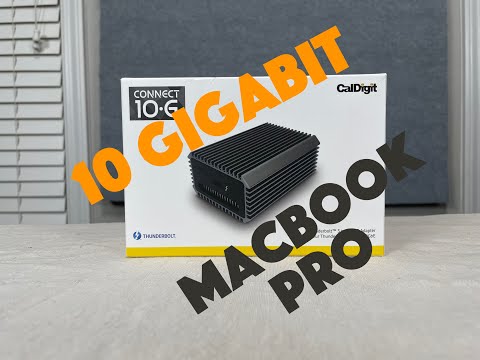
Discount Coupon code ($50 off $500): SAVE50TGBATG We take a look at the OWC Thunderbolt 3 to 10 gigabit ethernet adapter. We have been using this adapter for well over a few months for moving large files around, and it has worked wonderfully. Connecting and editing 4k video over 10G has made workflow much faster than the 1G connection we used to have. Pick up the OWC Thunderbolt 3 10G Ethernet Adapter, (OWCTB3ADP10GBE), for high-Speed Network Connections on amazon: https://amzn.to/2NZZBAN Great little adapter. Built in heatsink enclosure. Works well, priced well, designed well, and so far has been reliable. Would recommend it. Full 10gb connection. Works easily and no driver installation is required for Apple computers.

📝 Video Transcript

hey what's up guys welcome back to the hey what's up guys welcome back to the hey what's up guys welcome back to the channel on to the episode we're going to channel on to the episode we're going to channel on to the episode we're going to talk about 10 gigabit ethernet on the talk about 10 gigabit ethernet on the talk about 10 gigabit ethernet on the mac mac mac but in order to do that we're going to but in order to do that we're going to but in order to do that we're going to need this so we're going to talk about need this so we're going to talk about need this so we're going to talk about this this this stay tuned stay tuned stay tuned all right you guys so this right here is all right you guys so this right here is all right you guys so this right here is the thunderbolt 3 to 10 gigabit ethernet the thunderbolt 3 to 10 gigabit ethernet the thunderbolt 3 to 10 gigabit ethernet adapter from owc adapter from owc adapter from owc and owc generally makes pretty good and owc generally makes pretty good and owc generally makes pretty good stuff we've had most of the time good stuff we've had most of the time good stuff we've had most of the time good luck with their stuff luck with their stuff luck with their stuff most of their stuff generally turns out most of their stuff generally turns out most of their stuff generally turns out pretty well so we we pretty well so we we pretty well so we we this one that we ordered a while ago this one that we ordered a while ago this one that we ordered a while ago we've had it for a while we've used it we've had it for a while we've used it we've had it for a while we've used it for a while for a while for a while so we can pretty much give it a good so we can pretty much give it a good so we can pretty much give it a good review on it i think so anyways the review on it i think so anyways the review on it i think so anyways the point is that point is that point is that um we've been editing or making videos um we've been editing or making videos um we've been editing or making videos in 4k in 4k in 4k for a while but we've really been for a while but we've really been for a while but we've really been lagging behind our workflow's really lagging behind our workflow's really lagging behind our workflow's really slowed down mainly because slowed down mainly because slowed down mainly because we started shooting 4k we are still on we started shooting 4k we are still on we started shooting 4k we are still on one gigabit lan and we're moving storage one gigabit lan and we're moving storage one gigabit lan and we're moving storage and files and movie files and stuff like and files and movie files and stuff like and files and movie files and stuff like that right just took a really long time that right just took a really long time that right just took a really long time so we needed to upgrade to 10 gigabit so we needed to upgrade to 10 gigabit so we needed to upgrade to 10 gigabit ethernet and cal did just another one ethernet and cal did just another one ethernet and cal did just another one the adapters that we bought we have some the adapters that we bought we have some the adapters that we bought we have some pci embedded pci embedded pci embedded adapter and stuff but on the macbooks we adapter and stuff but on the macbooks we adapter and stuff but on the macbooks we really needed something that was really needed something that was really needed something that was external that could plug into a external that could plug into a external that could plug into a thunderbolt 3 thunderbolt 3 thunderbolt 3 port and give you 10 gigabit ethernet port and give you 10 gigabit ethernet port and give you 10 gigabit ethernet and this is exactly what that does and this is exactly what that does and this is exactly what that does so what it really does is it you get a so what it really does is it you get a so what it really does is it you get a little adapter in the box you plug it in little adapter in the box you plug it in little adapter in the box you plug it in with thunderbolt 3 cable and on the with thunderbolt 3 cable and on the with thunderbolt 3 cable and on the other side you get an other side you get an other side you get an n base t rj45 port all right so that's n base t rj45 port all right so that's n base t rj45 port all right so that's what happens so what happens so what happens so go over some quick specs on this go over some quick specs on this go over some quick specs on this thunderbolt 3 bus power 10 gigabit thunderbolt 3 bus power 10 gigabit thunderbolt 3 bus power 10 gigabit adapter with n base t support yeah if adapter with n base t support yeah if adapter with n base t support yeah if you're on a mac you don't need to you're on a mac you don't need to you're on a mac you don't need to install any drivers if you have a install any drivers if you have a install any drivers if you have a thunderbolt thunderbolt thunderbolt 3 capable windows pc you probably need 3 capable windows pc you probably need 3 capable windows pc you probably need to install drivers but it looks like it to install drivers but it looks like it to install drivers but it looks like it will work there will work there will work there it is silent it is passively cooled it is silent it is passively cooled it is silent it is passively cooled we'll talk about that in a bit we'll talk about that in a bit we'll talk about that in a bit it comes with a one year owc limited it comes with a one year owc limited it comes with a one year owc limited warranty warranty warranty okay if in case you want to know okay if in case you want to know okay if in case you want to know what kind of controllers and there's what kind of controllers and there's what kind of controllers and there's 10gb controller from acquaintea 10gb controller from acquaintea 10gb controller from acquaintea okay and it works with okay and it works with okay and it works with windows 10 or later or mac 10. 13. 6 or windows 10 or later or mac 10. 13. 6 or windows 10 or later or mac 10. 13. 6 or later later later okay it can deliver over blazing fast okay it can deliver over blazing fast okay it can deliver over blazing fast speeds of over 900 megabytes per second speeds of over 900 megabytes per second speeds of over 900 megabytes per second on real-world transfers on real-world transfers on real-world transfers we're going to talk about that in a we're going to talk about that in a we're going to talk about that in a little bit and it works with pretty much little bit and it works with pretty much little bit and it works with pretty much anything anything anything it's avb ready it's cost effective and it's avb ready it's cost effective and it's avb ready it's cost effective and like i said earlier because of this n like i said earlier because of this n like i said earlier because of this n base t base t base t it can do 10 gigabit 5 gigabit 2. 5 it can do 10 gigabit 5 gigabit 2. 5 it can do 10 gigabit 5 gigabit 2. 5 gigabit gigabit gigabit one gigabit and also 100 megabit one gigabit and also 100 megabit one gigabit and also 100 megabit base t ethernet standards all right base t ethernet standards all right base t ethernet standards all right so um let's talk about it so in the box so um let's talk about it so in the box so um let's talk about it so in the box you get this okay um this is a pretty you get this okay um this is a pretty you get this okay um this is a pretty solid build solid build solid build i'm not sure if it's aluminum or whatnot i'm not sure if it's aluminum or whatnot i'm not sure if it's aluminum or whatnot but it's a pretty solid build seems a but it's a pretty solid build seems a but it's a pretty solid build seems a little heavy to be aluminum little heavy to be aluminum little heavy to be aluminum and it's it's pretty much like an and it's it's pretty much like an and it's it's pretty much like an aluminum casing type deal and it has aluminum casing type deal and it has aluminum casing type deal and it has a panel on the front and a panel on the a panel on the front and a panel on the a panel on the front and a panel on the back back back okay and if this looks familiar at all okay and if this looks familiar at all okay and if this looks familiar at all it's because i think there's another it's because i think there's another it's because i think there's another model another brand or whatever you want model another brand or whatever you want model another brand or whatever you want to call it out there that looks to call it out there that looks to call it out there that looks exact same replica except on this badge exact same replica except on this badge exact same replica except on this badge right here it says right here it says right here it says acquainta no akitio or something like acquainta no akitio or something like acquainta no akitio or something like that instead of owc that instead of owc that instead of owc this one says owc i'm not sure what the this one says owc i'm not sure what the this one says owc i'm not sure what the relation is but this is pretty much an relation is but this is pretty much an relation is but this is pretty much an exact replica copy of it okay exact replica copy of it okay exact replica copy of it okay so it's got air ventilation holes in so it's got air ventilation holes in so it's got air ventilation holes in here on both sides so air flows through here on both sides so air flows through here on both sides so air flows through but like we said earlier it is passively but like we said earlier it is passively but like we said earlier it is passively cooled so which means there is no active cooled so which means there is no active cooled so which means there is no active flan flan flan fan blowing or moving air around it so fan blowing or moving air around it so fan blowing or moving air around it so that actually that actually that actually causes a small problem because it does causes a small problem because it does causes a small problem because it does seem to get really really warm seem to get really really warm seem to get really really warm during usage and almost uncomfortably during usage and almost uncomfortably during usage and almost uncomfortably warm so you cannot warm so you cannot warm so you cannot even touch or hold it so if you are even touch or hold it so if you are even touch or hold it so if you are going to be using this i would going to be using this i would going to be using this i would definitely say put it near some kind of definitely say put it near some kind of definitely say put it near some kind of airflow like a vent or air purifier desk airflow like a vent or air purifier desk airflow like a vent or air purifier desk fan fan fan or just put a fan somewhere near so that or just put a fan somewhere near so that or just put a fan somewhere near so that air is moving around it okay air is moving around it okay air is moving around it okay here's the rj45 port on the front here's here's the rj45 port on the front here's here's the rj45 port on the front here's a thunderbolt 3 port on the back a thunderbolt 3 port on the back a thunderbolt 3 port on the back okay you know it's a thunderbolt 3 port okay you know it's a thunderbolt 3 port okay you know it's a thunderbolt 3 port because it has a thunderbolt or a because it has a thunderbolt or a because it has a thunderbolt or a lightning symbol lightning symbol lightning symbol okay so a thunderbolt cable okay so a thunderbolt cable okay so a thunderbolt cable most of the time good quad thunderbolt most of the time good quad thunderbolt most of the time good quad thunderbolt cable will also do usb-c and cable will also do usb-c and cable will also do usb-c and thunderbolt okay a usb-c cable can only thunderbolt okay a usb-c cable can only thunderbolt okay a usb-c cable can only do usb-c do usb-c do usb-c it cannot do thunderbolt so what they it cannot do thunderbolt so what they it cannot do thunderbolt so what they include in there include in there include in there is a very short 0. 5 is a very short 0. 5 is a very short 0. 5 meter thunderbolt 3 passive cable okay meter thunderbolt 3 passive cable okay meter thunderbolt 3 passive cable okay owc branded owc branded owc branded nothing too special thunderbolt on both nothing too special thunderbolt on both nothing too special thunderbolt on both sides works great sides works great sides works great all that also in there is like the all that also in there is like the all that also in there is like the silicone sleeve type thing okay silicone sleeve type thing okay silicone sleeve type thing okay and i i get the idea around it because and i i get the idea around it because and i i get the idea around it because this is pretty metal build right and this is pretty metal build right and this is pretty metal build right and it's it's it's it's it can pretty scratch up the table it's it can pretty scratch up the table it's it can pretty scratch up the table if you had like a wooden desk or if you had like a wooden desk or if you had like a wooden desk or something like that so i get the point something like that so i get the point something like that so i get the point of this of this of this but i do have a little bit of issue with but i do have a little bit of issue with but i do have a little bit of issue with this mainly because this mainly because this mainly because let's put it in here okay so if you put let's put it in here okay so if you put let's put it in here okay so if you put this adapter this adapter this adapter in here the one good thing that it does in here the one good thing that it does in here the one good thing that it does is because of the feet is because of the feet is because of the feet that's on this silicone rubberized that's on this silicone rubberized that's on this silicone rubberized casing thing casing thing casing thing it does sit maybe a millimeter or two it does sit maybe a millimeter or two it does sit maybe a millimeter or two off the ground off the ground off the ground promoting like airflow to flow through promoting like airflow to flow through promoting like airflow to flow through there right but because it does there right but because it does there right but because it does kind of go over the middle case kind of go over the middle case kind of go over the middle case casing it does restrict a little bit of casing it does restrict a little bit of casing it does restrict a little bit of airflow on the sides airflow on the sides airflow on the sides and the the and the the and the the channels are a little bit blocked right channels are a little bit blocked right channels are a little bit blocked right so it doesn't really flow all the way so it doesn't really flow all the way so it doesn't really flow all the way through there can cause some turbulence through there can cause some turbulence through there can cause some turbulence maybe i'm just maybe i'm just maybe i'm just taking out a few things but it is there taking out a few things but it is there taking out a few things but it is there i do wish i do wish i do wish personally that they just had some feet personally that they just had some feet personally that they just had some feet or something installed rubber feet or or something installed rubber feet or or something installed rubber feet or something on the bottom something on the bottom something on the bottom installed this so it just like that and installed this so it just like that and installed this so it just like that and you don't have to put this casing around you don't have to put this casing around you don't have to put this casing around it because it because it because if you do ever use a furball in case if you do ever use a furball in case if you do ever use a furball in case casing off you will realize that this casing off you will realize that this casing off you will realize that this case case case is incredibly warm okay so make sure you is incredibly warm okay so make sure you is incredibly warm okay so make sure you keep that in mind keep that in mind keep that in mind we just use like an ac infinity fan or a we just use like an ac infinity fan or a we just use like an ac infinity fan or a desk fan and put a desk fan and put a desk fan and put a fan around it but it does get pretty fan around it but it does get pretty fan around it but it does get pretty warm so warm so warm so that's what it does so we're able to use that's what it does so we're able to use that's what it does so we're able to use this we've had it for a while like i this we've had it for a while like i this we've had it for a while like i said we've used it to move some said we've used it to move some said we've used it to move some 4k video files around for stuff that 4k video files around for stuff that 4k video files around for stuff that we're filming on this channel and my we're filming on this channel and my we're filming on this channel and my other channel other channel other channel go check that out if you haven't checked go check that out if you haven't checked go check that out if you haven't checked out already but out already but out already but we generally connect this to a 10 we generally connect this to a 10 we generally connect this to a 10 gigabit ethernet network gigabit ethernet network gigabit ethernet network using to connect the files and storage using to connect the files and storage using to connect the files and storage over a nas or nas network we used to use over a nas or nas network we used to use over a nas or nas network we used to use zfs or freenas and stuff like that now zfs or freenas and stuff like that now zfs or freenas and stuff like that now we're moving more on this and all these we're moving more on this and all these we're moving more on this and all these stuff but stuff but stuff but we did recently upgrade our synology so we did recently upgrade our synology so we did recently upgrade our synology so now we can do 10 gigabit ethernet off of now we can do 10 gigabit ethernet off of now we can do 10 gigabit ethernet off of that that that so without too much further ado let's so without too much further ado let's so without too much further ado let's get into some kind of get into some kind of get into some kind of testing with this and i don't know if i testing with this and i don't know if i testing with this and i don't know if i mentioned this but it does cost roughly mentioned this but it does cost roughly mentioned this but it does cost roughly 150 bucks you can get it off amazon or 150 bucks you can get it off amazon or 150 bucks you can get it off amazon or owc or emac sales or whatever the place owc or emac sales or whatever the place owc or emac sales or whatever the place is called is called is called but no one's paying for this video it's but no one's paying for this video it's but no one's paying for this video it's not sponsored we can pretty much take not sponsored we can pretty much take not sponsored we can pretty much take whatever we want whatever we want whatever we want but like i said let's get into some of but like i said let's get into some of but like i said let's get into some of the testing with the computer and we'll the testing with the computer and we'll the testing with the computer and we'll be right back be right back be right back all right you guys and we're back with all right you guys and we're back with all right you guys and we're back with the computer so the computer so the computer so so all you really got to do like i said so all you really got to do like i said so all you really got to do like i said if you're on a mac you just plug it in if you're on a mac you just plug it in if you're on a mac you just plug it in and you're ready to go it'll pop up in and you're ready to go it'll pop up in and you're ready to go it'll pop up in your network settings and you can your network settings and you can your network settings and you can configure it or whatever you need to do configure it or whatever you need to do configure it or whatever you need to do with it but like i said with it but like i said with it but like i said we plugged it in right here ready to go we plugged it in right here ready to go we plugged it in right here ready to go and luckily on the back side of this one and luckily on the back side of this one and luckily on the back side of this one on unlike some thunderbolt um to on unlike some thunderbolt um to on unlike some thunderbolt um to 10 adapters on the back side of this one 10 adapters on the back side of this one 10 adapters on the back side of this one you know that you know that you know that it is powered on and plugged in because it is powered on and plugged in because it is powered on and plugged in because on the backside like i said there is a on the backside like i said there is a on the backside like i said there is a blue light that comes on blue light that comes on blue light that comes on and that blue light is still there even and that blue light is still there even and that blue light is still there even if if if the cable is not plugged in therefore the cable is not plugged in therefore the cable is not plugged in therefore letting you know that this adapter is letting you know that this adapter is letting you know that this adapter is powered on powered on powered on okay whether it's connected or not okay whether it's connected or not okay whether it's connected or not different story but there's a light that different story but there's a light that different story but there's a light that is there it's part on is there it's part on is there it's part on that is convenient because like i said that is convenient because like i said that is convenient because like i said on the cal digit one it doesn't really on the cal digit one it doesn't really on the cal digit one it doesn't really have that one have that one have that one on the front side here um here is a port on the front side here um here is a port on the front side here um here is a port when you do plug it in when you do plug it in when you do plug it in we actually before we do that let's talk we actually before we do that let's talk we actually before we do that let's talk about the plug or talk about the cable about the plug or talk about the cable about the plug or talk about the cable so in order to get 10 gig so in order to get 10 gig so in order to get 10 gig ethernet speeds you can get away with ethernet speeds you can get away with ethernet speeds you can get away with cat 6 okay cat 6 okay cat 6 okay there's also cat6a which is catholic there's also cat6a which is catholic there's also cat6a which is catholic cemente a little bit cat6 amended in cemente a little bit cat6 amended in cemente a little bit cat6 amended in order to support more of the 10 gig order to support more of the 10 gig order to support more of the 10 gig speeds and things like that there's also speeds and things like that there's also speeds and things like that there's also cat 7 there's a bunch of other stuff but cat 7 there's a bunch of other stuff but cat 7 there's a bunch of other stuff but i would recommend you use i would recommend you use i would recommend you use at minimum of a cat 6a okay and at minimum of a cat 6a okay and at minimum of a cat 6a okay and depending on what length and stuff you depending on what length and stuff you depending on what length and stuff you need to go need to go need to go um you may need to use cat 6a or even um you may need to use cat 6a or even um you may need to use cat 6a or even cat 7 cat 7 cat 7 or even fiber at certain points but it's or even fiber at certain points but it's or even fiber at certain points but it's not a fiber adapter okay not a fiber adapter okay not a fiber adapter okay so like i said use cat6a i believe so like i said use cat6a i believe so like i said use cat6a i believe it can deliver somewhere around it can deliver somewhere around it can deliver somewhere around 10 10 gig speeds at roughly around 100 10 10 gig speeds at roughly around 100 10 10 gig speeds at roughly around 100 meters i think i believe meters i think i believe meters i think i believe don't quote me on that but i do believe don't quote me on that but i do believe don't quote me on that but i do believe off top of my head that's that is what i off top of my head that's that is what i off top of my head that's that is what i think can't happen but we're not going think can't happen but we're not going think can't happen but we're not going 100 meters with this so 100 meters with this so 100 meters with this so like i said make sure you use a good like i said make sure you use a good like i said make sure you use a good quality cat6a cable if you can get the quality cat6a cable if you can get the quality cat6a cable if you can get the one that has one that has one that has individual pairs shielded definitely go individual pairs shielded definitely go individual pairs shielded definitely go with that with that with that so let's plug it in here and when you so let's plug it in here and when you so let's plug it in here and when you plug it in it will let you know plug it in it will let you know plug it in it will let you know by the light code or the lights that by the light code or the lights that by the light code or the lights that come up on here what speed it is come up on here what speed it is come up on here what speed it is connected at okay and depending on what connected at okay and depending on what connected at okay and depending on what settings and things that settings and things that settings and things that you have you may connect at different you have you may connect at different you have you may connect at different speeds so like i said if you have this speeds so like i said if you have this speeds so like i said if you have this one and another like a one and another like a one and another like a 10 gig switch it should connect 10 gig 10 gig switch it should connect 10 gig 10 gig switch it should connect 10 gig automatically if it doesn't you have may automatically if it doesn't you have may automatically if it doesn't you have may have a bad cable or something but you have a bad cable or something but you have a bad cable or something but you can go look into your preferences and can go look into your preferences and can go look into your preferences and figure figure figure that out so on this model or at least on that out so on this model or at least on that out so on this model or at least on this this this this adapter if you connect that 10 gig this adapter if you connect that 10 gig this adapter if you connect that 10 gig you have a green light and an you have a green light and an you have a green light and an orange light if you connect at one gig orange light if you connect at one gig orange light if you connect at one gig you will have two green lights which i you will have two green lights which i you will have two green lights which i thought was pretty interesting because thought was pretty interesting because thought was pretty interesting because usually i would expect maybe usually i would expect maybe usually i would expect maybe two greens is usually better or two greens is usually better or two greens is usually better or something like that so anyways something like that so anyways something like that so anyways like i said so right here let's see we like i said so right here let's see we like i said so right here let's see we have a green light and have a green light and have a green light and a orange light which means we are a orange light which means we are a orange light which means we are connected at 10 gig speeds connected at 10 gig speeds connected at 10 gig speeds so this macbook here is a 2019 16 inch so this macbook here is a 2019 16 inch so this macbook here is a 2019 16 inch macbook pro macbook pro macbook pro retina um and the other side it's also retina um and the other side it's also retina um and the other side it's also connected to connected to connected to another 2016 i believe macbook pro another 2016 i believe macbook pro another 2016 i believe macbook pro retina and we are going to be using a retina and we are going to be using a retina and we are going to be using a program here called program here called program here called iperf so actually before we do it let's iperf so actually before we do it let's iperf so actually before we do it let's go in here and look at the setting here go in here and look at the setting here go in here and look at the setting here the adapter setting so right here i'm on the adapter setting so right here i'm on the adapter setting so right here i'm on a a a internal network because i mainly wanted internal network because i mainly wanted internal network because i mainly wanted to connect between the two and didn't to connect between the two and didn't to connect between the two and didn't have anything else in the middle that have anything else in the middle that have anything else in the middle that way we can't get a good test of the way we can't get a good test of the way we can't get a good test of the adapter not necessarily relying on any adapter not necessarily relying on any adapter not necessarily relying on any switches or anything switches or anything switches or anything so if you go into hardware i set mine so if you go into hardware i set mine so if you go into hardware i set mine manually mainly because i did want to manually mainly because i did want to manually mainly because i did want to enable enable enable jumbo frames okay so in case you didn't jumbo frames okay so in case you didn't jumbo frames okay so in case you didn't know know know um usually the ntu size by default is um usually the ntu size by default is um usually the ntu size by default is set to about 1500 set to about 1500 set to about 1500 in order to get maximum in order to get maximum in order to get maximum benefit out of this you want to use benefit out of this you want to use benefit out of this you want to use jumbo frames jumbo frames jumbo frames or mtu size of 9000. what that really or mtu size of 9000. what that really or mtu size of 9000. what that really means if you don't know what it really means if you don't know what it really means if you don't know what it really means think of it as the best way to means think of it as the best way to means think of it as the best way to explain it is explain it is explain it is instead of sending a thousand little instead of sending a thousand little instead of sending a thousand little small packets that each have small packets that each have small packets that each have let's just magically make up numbers let's just magically make up numbers let's just magically make up numbers here right 10 overhead all right here right 10 overhead all right here right 10 overhead all right so anytime you're getting thousands of so anytime you're getting thousands of so anytime you're getting thousands of packets with 10 overhead packets with 10 overhead packets with 10 overhead instead of doing that let's just send instead of doing that let's just send instead of doing that let's just send one big packet right one big packet right one big packet right with 10 overhead okay or a little small with 10 overhead okay or a little small with 10 overhead okay or a little small overhead 10 bytes of overhead eight bytes of 10 bytes of overhead eight bytes of 10 bytes of overhead eight bytes of overhead or whatever maybe so the overhead or whatever maybe so the overhead or whatever maybe so the easiest way for maybe someone to make a easiest way for maybe someone to make a easiest way for maybe someone to make a an analogy is instead of buying 50 an analogy is instead of buying 50 an analogy is instead of buying 50 different packages on amazon right and different packages on amazon right and different packages on amazon right and amazon sends you 50 different individual amazon sends you 50 different individual amazon sends you 50 different individual packages packages packages right they can probably just ship you in right they can probably just ship you in right they can probably just ship you in all the packages and things that you all the packages and things that you all the packages and things that you bought in one big box okay bought in one big box okay bought in one big box okay that way reduces the overhead on the cpu that way reduces the overhead on the cpu that way reduces the overhead on the cpu cpu and cpu and cpu and and processors and and the embed and processors and and the embed and processors and and the embed processors don't have to work as hard in processors don't have to work as hard in processors don't have to work as hard in order to do that order to do that order to do that therefore it actually allows you to at therefore it actually allows you to at therefore it actually allows you to at the end to get more throughput the end to get more throughput the end to get more throughput so any jumbo frames enabled and on the so any jumbo frames enabled and on the so any jumbo frames enabled and on the key thing to note here is key thing to note here is key thing to note here is you need jumbo frames enabled in the you need jumbo frames enabled in the you need jumbo frames enabled in the entire chain entire chain entire chain okay what does that mean it means if i'm okay what does that mean it means if i'm okay what does that mean it means if i'm the client here the client here the client here i need jumbo frames enabled on my i need jumbo frames enabled on my i need jumbo frames enabled on my network device network device network device and whatever server i'm talking to needs and whatever server i'm talking to needs and whatever server i'm talking to needs to have jumbo frames enabled on that to have jumbo frames enabled on that to have jumbo frames enabled on that device or that device or that device or that network interface card and whatever network interface card and whatever network interface card and whatever network i'm connecting through network i'm connecting through network i'm connecting through needs to have jumbo frames enabled not needs to have jumbo frames enabled not needs to have jumbo frames enabled not everything or everything or everything or thing may have that if you have a switch thing may have that if you have a switch thing may have that if you have a switch maybe a global setting that you need to maybe a global setting that you need to maybe a global setting that you need to enable jumbo frames or not enable jumbo frames or not enable jumbo frames or not but keep that in mind because without but keep that in mind because without but keep that in mind because without jumbo frames being enabled jumbo frames being enabled jumbo frames being enabled you will only get maybe somewhere you will only get maybe somewhere you will only get maybe somewhere between six to seven point nine or six between six to seven point nine or six between six to seven point nine or six to eight to eight to eight gigabit per second length but we'll go gigabit per second length but we'll go gigabit per second length but we'll go into and demonstrate that real quick so into and demonstrate that real quick so into and demonstrate that real quick so like i said right here if we look we are like i said right here if we look we are like i said right here if we look we are at nine thousand at nine thousand at nine thousand ntu size i'll just go ahead and clear ntu size i'll just go ahead and clear ntu size i'll just go ahead and clear nothing changed but not hit apply nothing changed but not hit apply nothing changed but not hit apply but what we will do is do a socket but what we will do is do a socket but what we will do is do a socket socket connection socket connection socket connection and we will do so right now this and we will do so right now this and we will do so right now this computer set to computer set to computer set to 1. 2. 12 and i'm going to be connecting to 1. 2. 12 and i'm going to be connecting to 1. 2. 12 and i'm going to be connecting to 2. 11. i perfectly open the socket here 2. 11. i perfectly open the socket here 2. 11. i perfectly open the socket here and there's a socket iperf server and there's a socket iperf server and there's a socket iperf server listing on the other side so we will do listing on the other side so we will do listing on the other side so we will do a test a test a test right now we'll see how it goes see right now we'll see how it goes see right now we'll see how it goes see right now we're getting roughly around right now we're getting roughly around right now we're getting roughly around 9. 1 9. 6 9. 6 9. 1 9. 6 9. 6 9. 1 9. 6 9. 6 9. 5 roughly gigabits per second okay 9. 5 roughly gigabits per second okay 9. 5 roughly gigabits per second okay so that's pretty close to about 10 gig so that's pretty close to about 10 gig so that's pretty close to about 10 gig all right so if you look right here all right so if you look right here all right so if you look right here transfer roughly around 11. 1 gigs transfer roughly around 11. 1 gigs transfer roughly around 11. 1 gigs sender receiver 9. 5 sender receiver 9. 5 sender receiver 9. 5 all right so just to demonstrate what i all right so just to demonstrate what i all right so just to demonstrate what i was pointing out earlier was pointing out earlier was pointing out earlier the other side still has enabled so the other side still has enabled so the other side still has enabled so let's go back to the default of 1500 let's go back to the default of 1500 let's go back to the default of 1500 okay if i set this to 1500 okay if i set this to 1500 okay if i set this to 1500 and it does resync let's make sure it and it does resync let's make sure it and it does resync let's make sure it actually stayed properly which it did actually stayed properly which it did actually stayed properly which it did 1500 and i'll run the exact same test 1500 and i'll run the exact same test 1500 and i'll run the exact same test again again again we'll probably get somewhere around 6. we'll probably get somewhere around 6. we'll probably get somewhere around 6.