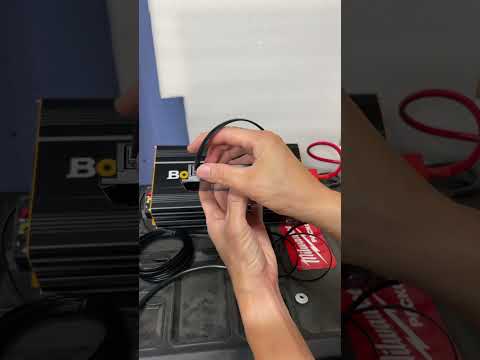
BougeRV 2000W 12V Pure Sine Wave Inverter with Bluetooth | BV122000
🔗 Links Mentioned
Affiliate link — we may earn a commission if you purchase through this link, at no extra cost to you.
📝 Description
Affiliate link — we may earn a commission if you purchase through this link, at no extra cost to you.
Discount Coupon code ($50 off $500): GET50TGBATG
BougeRV 3000W Inverter: https://www.bougerv.com/products/3000w-12v-pure-sine-wave-inverter-with-bluetooth?aff=207
BougeRV 2000W Inverter: https://www.bougerv.com/products/2000w-12v-pure-sine-wave-inverter-with-bluetooth?aff=207
BougeRV 1000w Inverter: https://www.bougerv.com/products/1000w-12v-pure-sine-wave-inverter-with-bluetooth?aff=207
Amazon Link: https://www.amazon.com/dp/B0D5B49JKR?tag=4thewin06-20
#bougerv #bougervinverter #inverter
inverterpuresinewavebougervbluetoothcontroloutputhttpslithiumpowerappliancesbatterycomremote
🎬 Related Videos

📝 Video Transcript
what he guys back to the channel in this episode we're going to talk to you about the brand new B RV 12volt inverter this specific model right here is a 2000 wat 12vt inverter they do make the same uh inverter but a 1,000 watt model uh that model number is bv12 1000 this model number the 20001 is bv12 2000 the easy way to look at it is BV bjar V and then you got the 12vt right uh 2,000 this one right so uh that's pretty much how that goes they're pretty much the same inverter obviously except for the capacity uh but there is a small difference with the uh connection at the back for the 1,000 uses kind of like ring Terminals and less of the studs that to have on this model but anyways as you saw earlier or hopefully you saw earlier this uh heat gun can push this inverter to roughly about 1,500 Watts closely uh for a good amount of time adding the fan got it to maybe like 16 1700 Watts uh there was a short time somewhere earlier where we ran it in uh at 2,000 right above 2,000 like 2200 and it cut right off so it does not have a lot of headro above 2000 so just think of 2000 as the peak all right and obviously as you probably can tell just by looking at the size this is a high frequency inverter and not a Transformer based inverter right so uh they've actually packed a lot of features into uh this inverter so if you want to know more about this inverter stick with us so as you can see right here this is the front of the inverter and the inverter is currently powered on with the switch and it has a blue power light indicator and a red light here indicator for fault uh for some reason even when you when you turn the fur off using the switch the red light comes in up on here as fault so the way I look at the fault icon or the LED is really red means that it's not really working right even though blue means the power is connected it's just not really working that's probably the better way to interpret it right so the first thing you're going to notice off the back is it has a remote display I did not peel the plastic off of this like you know most people probably would and as I probably should cuz it probably make the screen look a little bit better but you know I just didn't do that anyways the point of it is it connects next to this unit via uh kind of like a old uh what do you call it rj11 cable okay so if you take a look at this cable it's a uh flat rj11 type cable and it does have pretty much all the wires in uh running up in this cable right all the wires go to it and it connects to this top right here and it's a pretty good lengthy amount of cable um you know probably so that you can mount this wherever your you know so you need to put it and then you can put maybe this closer to where you're actually going to be you know living or moving around especially if you put in RV you want to put this like in a cabin or downstairs or whatnot you can mount this up here and kind of know everything you need to up going on with this inverter up here right so as you can see uh like I said it's got uh the plastic on it but it has four Knockouts that you can knock out um that where you can screw it in or install it permanently uh don't expect this to be waterproof obviously because this part is it's not waterproof but you know for the in all intents and purpose of just mounting on a piece of wood or whever you want to put it it's going to hold steady right there I don't think mine included the screws I may be wrong but I don't think I saw the screws you know no biggie right first of all you'll see on here it says B RV it Set uh the input batteries right now are set to or the batteries voltage right now is 13.2 and it's connected at 60 hertz right uh for the AC output so it's interesting cuz this thing you would imagine be closer to the output but you know this is only talking about the battery the output voltage right now is zero because it's not really on right the wattage going out here is what's zero cuz it's also not on and this is pretty much a battery status indicator this uh pure sine wave looking icon pretty much just means it's telling you it's a pure sine wave and this happy icon means pretty much everything is happy right so you can turn this backlight on and off by hitting this button here turns it on and off if you want to turn the AC uh between 100 10 volts to 120 volts you hit this button here and a switch between the 110 and 120 I'm not sure if people need this a lot especially in the US because I think in the US most of the applian and things you're going to be connecting to is expecting anywhere between 110 to maybe 130 or 120 something like that right so this one may not be used too much if you're wondering what that does that's what happens here uh as you saw in the intro of the video or hopefully you saw when you hit this button the inverter has to turn off and switch to the the other selected one it can't switch it hot like in real time while it keeps the things that are plugged in or loaded on right so uh when you press this it will turn off and reset to the next voltage but like I said loads will be disconnected this right here obviously the onoff button turns on and off the inverter right so as you can see uh the inverter is not actively power anything but if I hit this button here it'll make a beep right and then you can see this voltage icon will start climbing in up and hopefully you can see that red LED where it says fault is no longer on meaning that the inverter is now actively powering these outlets on right so 120 uh 119 and these Outlets are now on so if you were to disconnect this in the middle of using it it's not really a problem because this is really just a control interface for this inverter you can make changes on here but you can operate this inverter without the controls right so that's how that really works right so uh let's go ahead and talk about some of the obvious things here we have two AC outputs uh AC output like a standard 15 output and a uh 20 amp output here um obviously you can't really draw maximum power from both because the both of the uh wattage combined is going to be peaked out at 2,000 but in case you had a 20 amp cord you can use it there all right um obviously there's an on and off switch we turn it off the unit turns off there is a another uh USB port if I can remove this down here it's a 5 amp up to uh 5vt up to 3 amps that's about 15 watts right here it's got a grounding lug right here which does include a ground cable that looks exactly like this right and this is a terminal block just in case you wanted to hard wire in you know terminals or Mount this somewhere down under the RV and then you know bring terminals out to like your outlet that's where that is all right so uh the other obvious thing you'll see on here is that it's ventilation holes for the air to suck in and cool the heat sink which is attached to the mosfets and all that kind of stuff right here is obviously the top say B RV standard marketing it's all imprinted on here feels like an aluminum type casing or heat sink it's got mounting holes here here and here the front side and the same on the back side so if you were to mount it that's how it is right and it's uh pretty much cut ends and not ring holes so you have to make sure when you're mounting it make sure you either mount it in place or measure very precisely okay uh other than that no mounting holes and stuff like that on that side or on this side as you can see here pretty standard uh the back side is interesting because here is the back side of it right so on my system right now I currently have a breaker that kind of isolates this uh inverter um to the battery so I can you know kind of mess with it a little bit more safely or I can completely isolate it when I need it to do something even though this is just a test review video but it does also to include these lug covers alternating so this one on here and then this one on here right so it is a little bit more I want to quote unquote safe because the lugs are not exposed after they're installed and also they've alternated the lug patterns right so the lug positive goes this way and negative goes this way therefore for some reason if you accidentally drop something you know it wouldn't really have a possibility to short that out and that is probably a a small detail that I think will probably be overlooked but is very much appreciated all right if you want to look at the bottom of the inverter there's really nothing else saying except for that it passed you know quality control and inspection and other specs and your serial number of that inverter some of the other things they include when you get this inverter is obviously the manual and it's a pretty decent manual it's got you know a lot of stuff in English although you can tell whoever wrote it English is probably not their first language but it's good enough so that you can actually get the detail details on what's going on right so all of the information and specifications and stuff like that are in here if you need to look it up you can also look it up online and uh what thing will also help you is probably the app all right but before we get to the app let's go ahead and talk about the other things they included which is this cable right here it's a pretty short maybe about a foot uh long cable and also this red cable here along with the grounding cable which I don't know where it is right now right but uh this cable is roughly I want to say somewhere between three and four uh gauge it's actually if you look on here it says about 25 mm right so I'm not sure what that equates to an AWG but that is probably one big downside I would knock on this inverter mainly because it's a 2000 watt 12vt inverter so if you take 2,000 and divide that by 12 I don't know what that really comes out to but it's probably somewhere close to about 160 something right so if you're saying you're going to be drawing assuming this inverted was 100% % efficient which is not somewhere around 166 or 170 amps or whatever through this cable it's probably not the best siiz cable right so one thing I would like to see improved on this is just include bigger cables maybe even two gauge cables or something like that uh just to give it a little bit more uh head room and you know just make sure that you have enough cable and you're not like you know unwiring it or causing a fire hazer anything like that right so uh these cables are short run so you know that may be uh one of the reasons they did that but who is really going to be installing this in their system with a cable this long right so that's you know to its own right so anyways let's go take a look at the app because it does include an app and it is available on Android and uh iOS and there is a code in here where you can scan the QR code to get the app for IOS and Android all right so let's go ahead and take a look at the app right I've already installed the app from the App Store and here is the app one thing I will tell you is that you have to create an account to use the app with the inverter you cannot add any devices uh to your app or your account without creating the account which you know I would really ask them to kind of fix that because I don't think that's probably the wisest decision making because some people just want to connect to it Bluetooth use it not have to worry about it being in their accounts and all that kind of fun stuff but that is one Improvement that I would like right so when you want to add it you hit the plus button up here it'll do a scan and see if it can find it and then once you find it you can add it here I've already added mine you can see on here it says my devices and the device is online currently the battery voltage is 13.2 you can turn it on and off from the app as you can tell so if I hit that it'll turn off if I hit that it'll turn on it tells you what the real time voltage and the current is and the frequency uh and also the device temperature right uh for today it tells you roughly how much uh you've used it for today uh the data for today which I don't think uh the data that I'm showing you on here is entirely accurate uh because I've used it way more uh than just zero uh Watts today uh so you know that's probably if I had to imagine the data that's in here is probably the data that um from when you have the app connected to the inverter it's not that the inverter stores the data and then sends it to the app once it connects I think this is just when uh the information about the run time when the app is connected right so make sure you keep that in mind so uh there's interesting things like I said you could do in here mainly because you can go into the settings part here and you can go ahead and set like over discharge voltage uh settings so for some reason if you had like you know lead ass batteries or something that would probably get damaged if you discharge it too low uh lithium Minon phosphates or Lio 4 batteries usually have bms's built-in that will prevent over discharge so I usually don't have to worry about that but in case you wanted to you know worry about that that's where you would go and set it and you can also set a over discharge reminder voltage which is kind of like a a a notification such that it's going to send you a popup saying hey you're about to hit the low cut off and that's what that would do right you want to set that just a little bit higher or it will automatically be set just a little bit higher uh than your discharge voltage cut off uh you can change 50 or 60 Herz in case what's going up in here and also one 10 and 120 but that's all configurable inside the app right so taking a look at the app let's go ahead and hit the switch to the heat gun and turn it on so you can see it in action um hopefully you can hear I just kicked it on it's on low drawing 545 Watts uh and as you can tell the battery voltage will dip All Battery voltages will dip once they are put under load right so uh 12.8 here uh hit the fan let me hit the heat to maximum heat but low fan speed so now we're climbing up to closer to 900 not sure if you heard it but the fans on the inverter just kicked on so let me go ahead and set the fan speed to high which will bring you to about 12 uh 1,00 uh closer to 13 sometimes it will get to 14 let me plug in this fan here so now we have a small fan inside the garage going it's kind of pretty much on low and you can hear that it's right around like 1,500 uh wats of output power and the battery voltage is at 12 pretty much 11.8 I'm using a lipo 4 12.8 Vol 100 amp batteries I have two of them connected in parallel so it can draw more than 100 amps from the B batteries because they're 100 amp BMS batteries uh but as I said earlier in case you wanted to run this at its peak or more closer to 2,000 then you want to be making sure you're using the right batteries for this application right let me go ahead and hit the power button on the heat gun let it cool down um such that you can see it ramp down just slowly and as you can tell there the fan noise you hear right now is the inverter so the fan noise is you know decently loud it's not quiet by any means but if you have it stored away away from you because you have access to the controller then you know it's probably not going to bother you too much but if you're going to put it somewhere where you're going to be sleeping that's probably not the best idea all right so that right there is the bouar V 200 wat 12vt inverter and it is a nice little inverter which they packed a bunch of features into right they got a offset controller and and also Bluetooth connectivity with the app but like I said if there are two improvements they could make I would say one include better or you know better gauge wires and I can't even tell if these are maybe a copper clad aluminum or just pure copper just just basically go my flexibility alone it doesn't feel like it would be a pure copper but that's a terrible way to tell you probably have to cut it to check it out but like I said better cables and also all right so that right there is a B RV 2001 12 volt inverter like I said the biggest difference between 12,000 and the 1,000 besides capacity is the 1,000 has like ring terminals this one has the lugs all right but they've packed a lot of features into this high frequency inverter for a 12vt inverter uh like obviously the get the controller you got the Bluetooth connectivity and the app and all that kind of fun stuff but if I could recommend two improvements to the company one thing I would say is include better cables cuz like I said these are pretty short cables maybe like 12 or 16 or 18 in something like that uh but not only just the length but also the thickness of this is around 25 mm so I would say you know you probably want to include longer or thicker cables at least um and I'm not even sure if these are pure pure copper or copper Cloud aluminum just going by flexibility alone I want to say copper Cloud aluminum but that's a terrible way to tell but like I said that would just be my guess uh also the second thing would be to not require creating an account on the app in order to use the app with this inverter right or if even if they kept that just include like an offline mode or something such that you don't have to have the app to use this right so that would be one thing to do I don't even know if you can use the app offline mainly because it requires you to create an account and sign in and once you're signed in and if you're offline maybe it'll work I'm not sure but the point is you nobody some people just don't want to create an account to use it right so that would be one major Improvement uh the other things like I said minor things if you want to just you know jibber jabber or complain about small stuff is maybe the maybe make at least some of the holes mounting uh holes on here not just slotted but also round so that you know if these get installed in a place that you know High vibration it can't just you know fall off because they're both slotted right you want like some round mounting holes but other than that like I said the inverters seem solid you're getting a 2000 watt uh 12vt inverter uh which is probably not the best uh what I would say uh voltage to be running at but I understand why they made it a 12vt inverter because most cars and most RVs which is where this would mainly be installed are 12vt systems right but in order to go from 12 volts to let's just say 2 2,000 Watts that's a lot of amperage it's going to have to draw so make sure you are using the right battery supply to use this right if you're putting this in your car or an RV maybe you have extra batteries or maybe you have an upgraded alternator that can put out more power right uh obviously your engine would have to be running for that kind of situation but if you have additional capacity batteries you want to make sure you're supplying this inverter with at least minimum I would say about two 200 amp hours uh not amp hours but 200 amp uh BMS capacity right so that means if you have a uh 100 amp uh battery BMS like a a a standalone battery that has about 100 amp BMS you need at least two of them in parallel to sufficiently supply the power to this right because like I said I don't know what the math works out to maybe about 166 or something like that uh amps to get 2,000 Watts at 12 volts at 100% of efficiency right obviously it's not going to be so just assume maybe you're going to be needing 170 180 amps to get 2,000 Watts that's a lot of juice you have to supply to make that happen all right so like I said hopefully video helped you guys out if you any questions let us know if you want to buy this inverter maybe we'll uh see if we can we'll contact the company see if we can get like a discount code or something like that uh we'll throw in description below but hopefully uh you would buy this if you need this inverter cuz I do have another you know cheaper inverter that kind of bought off Amazon to put in the car and that was probably not the best inverter to get but you know at the time we just wanted to get one of the smallest things but this is a pure sine wave inverted in case I didn't mention it anyways back to it hopefully this video helped you guys have any questions let us know otherwise have a great day and we'll see you guys next time a