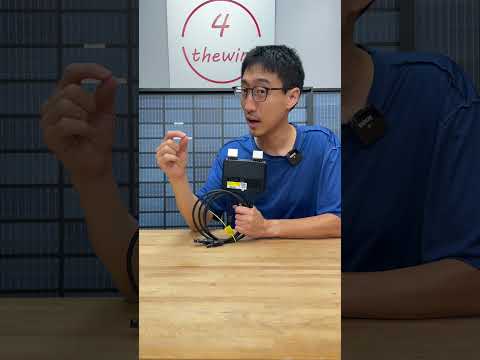
Tigo TS4-A-O review | Optimization, Monitoring & Rapid Shutdown
📦 Products Featured in This Video
Tigo Energy
Tigo TS4-A-O Optimizer
This listing is no longer available at Signature Solar.
Original 15A listing removed; current listings are the 22A version.
See the current model: Tigo TS4-A-O (22A) →Affiliate link — we may earn a commission if you purchase through this link, at no extra cost to you.
Troubleshooting note from this video
📝 Description
Affiliate link — we may earn a commission if you purchase through this link, at no extra cost to you.
Discount Coupon code ($50 off $500): GET50TGBATG
TS4-A-O: https://signaturesolar.com/tigo-ts4-a-o-optimizer-rapid-shutdown-15a-700w-1500vul-1000viec-mc4-1-2m-cable/?ref=bkpkbxde (no longer available at Signature Solar — current model: Tigo TS4-A-O (22A). Original 15A listing removed; current listings are the 22A version.)
🛠️ Troubleshooting note on this topic (our experience, not instructions): https://tgbatg.org/articles/tigo-ts4-a-o-optimizer-failure-zero-voltage.html
In this episode, we take a look at the TS4–A-O optimizer monitoring solution and rapids shut down solution from TIGO. These are solar modules that are supposed to be mounted to each panel then connected as designed panel array. They serve many functions, including rapid shut down monitoring and optimization. The optimization function works without any additional components out of the box, but the rabbit shut down, requires another module, and the monitoring solution also requires another module plus a subscription. Are these modules worth it? Let's find out.
#solar #solarpanels #solarpanel #offgrid #energystorage #solarenergy
solar
🎬 Related Videos
📝 Video Transcript
to you go Optimizer all right so the way that it looks like it works is you attach the module to the frame using these metal Clips here and that kind of bonds the module to the frame as you can see here there's little tiny little bite mark teeth here that little bite into the frame giving this metal clip a bond to the panel right you attach it to the panel and then you attach the uh cables from the panel to the optimizer and then you can connect the optimizers together I guess if you're doing series or parallel whatever I guess this picture here is looks to be series when you're connecting into put C connecting it so make sure you install the optimizer to the module before you connect the modules together if you're disconnecting the aomizuan the input cables to the module before connecting the output cables in series like I said so if you're installing it make sure you connect these first and then the modules look at that they even got a little QR code on the screen here's a little uh documentation on what's really going on with this but the maximum uh system voltage is about 1, or500 volts not sure what the deal is maybe this is a different model or whatnot but you know most of the uh all-in-one uh solar systems or whatnot will go up to maybe about 450 or 500 so I don't think you're going to have an issue with this as you can see here here's the actual module it's a too ts4 AO I believe the O stands for Optimizer maximum system voltage is 1,500 volts uo and 1,000 IEC maximum input output DC is 80 volts 15 amps 700 watts and I think that's per a unit so that should be good each time you want to you know connect it to your system just make sure that's within specs right it even says here must connect the panel first face this side towards panel so this part gets connected towards the panel here's two short cables for that it even says here connect the short cables before the long cables right so make sure you connect the uh module to the system first again so they've put this like everywhere they put it down uh in the instructions in the steps then they also wrote it here a note I'm sure probably if you scan these instructions it probably says that there too right but then they even wrote it here right connect the short cables before the long cables first so that's like a fourth reminder almost a third or fourth reminder then they even put it here so it's like five times so they really want you to do that there's probably some reason for them wanting you to do that if you don't do that you could probably screw up the system and to to make sure that they even put a tag on here that you can't take off without reading it you know definitely do that all right uh but other than that going on here you know that's all you really get you get a little cable length here that really helps you connect to the cable but you know you can't really mess this up it seems so straightforward so I'm going to go ahead and get maybe almost all of these installed and we'll see how it goes all right you guys so the reason we really have these optimizers is because this panel right here in the end number one panel here um has a little bit of a shading problem like right here first mainly due to this wall that's right here as the sun's coming up so even though maybe some of these panels may have full full sun this panel here will have a little bit of a shade on it and we'll see if we can get a picture of it later and also this panel right here we're gonna see how much the optimizers can really help right so if when the sun comes up all the way and it's at its peak spot then it doesn't have a problem right uh but as it's coming up you know you'll see that this part has a shade and this part here also has a shade the other side of that equation is this panel here um cuz as the sun is moving this way there's a deck right here that Shades you know this corner of the panel so maybe for about two or 3 hours for a good few hours the entire array is lit right but this end panel and these two panels beginning panels will have a little bit of of a shading problem so I did play with it a little bit saying is it easier just to run you know two or three panels with full Radiance or you know full lit the whole time we tried it for a week or two and we eventually figured out having um more panels even with the shading provides more over the course of a day because when it's at its peak you're actually getting much more uh energy in right so it almost kind of broke even didn't really make sense but we just wanted to have more panels that way you can get a little bit more you know as the sun's coming up and it's not too lit because you get the higher system voltage which allows you to get more over the time right even though the sun is not hitting them right now you're still pulling in maybe like 200 Watts or something like that right so that's why we have it set up like this but for now we're going to see if we can go ahead and get the modules connected to them and see how that works out all right you guys let's take a look at the mess going on up in here um it's a little bit of mess I'll probably have to come back and run some better Cable Management with it but the way I installed them was I installed them on on the side of the panels and then I connected the panels to the modules first and then you saw me come back later and then connect the modules together okay but uh they're installed on the side of the panel in my case mainly because these Helen panels on the top Edge and the bottom Edge they only have a quarter of an inch lip right here right so if you look at the optimizer you need a good uh inch or so to connect the optimizer to the panel so for me I had to install mine on the side and I think these are supposed to be ip68 rated or something like that but the manufacturer actually recommends that you install them on the top Edge mainly due to water infiltration uh things that may happen or to minimize that right but in my case like I said it's kind of impossible for me to do that as you can see here so I've installed them on the lip side edge here for now um I don't think they're going to have too much of an issue I mean they may have an issue with and see how that goes but I don't really have an option cuz I can't install them on the bottom lip cuz I can't flip the solar panel upside down cuz they're pretty much the same the top and bottom so the only option I had was to mount them on the side okay so uh like I said earlier you saw me pretty much come back and mount um the modules to the panels and then connect the panels to the short lead which is the module cable and then connect the modules together and that's what we have going in up on here um it is easy to mix it up if you don't have it labeled or done correctly mainly because um you know the mc4 connectors are pretty much the same so what I did was I just left the uh wire Ties on them and then make sure I connected the uh panels to the short leads on the modules first to make that happen then came back around and connected it all right so right now it's kind of all connected looks like a spiderweb of messing here the one thing you will have to take note and take away from here is each time you connect one of these there's going to be four extra cables right and then maybe two extra connectors for each panel so that's a lot of CA you're going to have to deal with um I'll definitely recommend you know using some cable ties and managing them properly but in my case that's what's going on here all right you guys so let's go ahead and take a look at some of this preliminary data okay first of all I'm going to go ahead and say this is preliminary data maining because Mother Nature is not working with me meaning we do not have a good Apples to Apples type comparison which is going to be impossible but we're not even close to Apples and apples okay uh what I mean by that is every day since we've installed it has been almost cloudy rainy Misty um thunderstorming or whatever it may be ever since we've installed it so it's been really rough to get a good numbers comparison okay so that's why we're going to say we're looking at this preliminary data and then maybe in a couple weeks or a couple months or whatnot we'll have better data okay so with that being said we're looking at the eg4 monitoring dashboard if you don't know what that means uh on some of the eg4 products there is a monitoring website that you can log into view data okay about your system or the things you have plugged into your system so this right now is the 6000 XP uh system that I have here with the optimizer connected to and we're going to be looking at this data all right so like I mentioned earlier nothing's going to be perfect uh you know we can't control the clouds or the weather or anything like that so take this with the grain and Sal and then we'll come back and hopefully have more data okay so I'll tell you right now the optimizers were installed in the morning uh part of July 15th and that's this is the month that we're in today okay so if you just take a quick glance at it you're going to say wow these numbers are much lower than you would probably expect them to be in yeah they're probably right like I said cloudy thunderstorm thunderstorm misting all that kind of fun stuff here so uh with that being said we're going to take a basic look at it and then what I mean by that is you're going to take a look at this and say okay we got 8.6 here 11.1 there 9.5 5.8 4.7 3.9 but you going say wow that means absolutely nothing to me cuz there's no idea on what the weather was like so the way we're going to solve that is we're going to go look at time and dat.com that gives you the weather for you know previously of what happened okay so if you go back and take a look at this day right let's take a look at July you're going to say okay sunny mostly cloudy Sunny you know passing clouds mostly cloudy mostly cloudy passing clouds passing clouds Sunny mostly cloudy but the date that we're really interested in is prob or the time area we really interested in is probably between 6 to six mainly because uh I would say this array or this system starts getting power mainly um right around uh right around 6:30 or so is when it actually passes that minimum threshold to start getting power okay so we're really only concerned about that part but I will say illumination for this array really happens past noon right and then Peak power production for this array comes Maybe between I would say maybe uh 3 to 4 maybe is probably the peak time so those are the times we're really going to look at okay uh but since we're talking about optimizers you want to know how does it do with shade how does it do with not Peak Radiance right well let's find out right so uh going back to this time uh if you look at the first we had 8.6 11.1 9.5 and you know six was the lowest July 6 right so if we go back here taking a look at July 6 you know we had a high of 88 and mostly cloudy okay so uh instead of trying to you know take a uh mathematical average of all of this data which you know you can't really do very well with a single number uh we're going to take a look at specific times in the day to figure out how that works okay like I mentioned um we installed this array on the 15th um or or not the array the optimizers on the 15th warning half you can see here where we had to shut it down for a little bit in install the optimizers turn it back on Realize hey we forgot a few panels uh turn uh turn it off again install the other ones and then come back here okay so just for easy sake and time reference we're just going to use 12:00 okay at 12:00 on the 15th we had uh 738 right and on the 16th we had uh 187 on the day after that we had 738 the day after that we had you know 325 day after that we had 67 1 day after that you know 5 52 you can kind of see a pattern here uh the peak that we were a able to achieve here is maybe about 700 at 12:00 right uh which includes a good amount of cloudiness and shading but you can tell on a good day right you're going to get maybe up to about 700 with cloudiness and stuff like that we're going to get maybe you know depending on how bad it is in the 300s or 200s right so let's go take a look at a few days before the optimizer was installed so let's just go take a look at the 14th 12:00 it was you know we got 227 um at 12:00 on the 13th 200 12:00 on the 12th 223 on the 11th at 12:00 9 uh 191 about 200 you know about 216 here day before that and before that we also had maybe 367 right uh maybe about 4 400 uh day before that about 374 uh and about 300 after that so you know if you just go back and take a look at it as you saw the maximum you were ever able to achieve at around 12:00 for this rate without optimizers was maybe close to a peak of 500 mostly averaging uh on most of these days somewhere between probably 2 to 300 on some days uh good days like 400 right so um every day after that not every day after but the maximum we were able to achieve after the 15th right was 700 so we went from somewhere between High 400 let's just say 500s to above 700 right on the uh at 12:00 for for a good day that's an increase of you know maybe about 200ish Watts Peak all right so if we're just using the peak numbers like 500 Peak day before that right to uh maybe peak of like 700 200 watts of increase across uh what is that about uh seven panels of optimizers uh that's 200 ided 7 200 ided by 7 is mainly roughly about 30 watts per pan if you were to average it out like I said the optimizers don't really work exactly in that manner because were're talking about the performance of the whole AR array but 200 um across 7even panels is close to about 30 watts per panel right so in this case what I could say is um it is worth it in terms of it does help you get more power out of your system if you're having issues with shading cloudiness and that kind of stuff right because um I looked back before recording this for multiple days and I was never able to get close to 700 at 12:00 okay but after we've installed the optimizers there's been a few occurrences where at 12:00 you know we got more right so let's go take a look at the maximum power produced right at any given time three uh close to 3,300 Peak here is maybe about 3,000 afterwards uh the 24th is about 3100 uh today is a 25th right so there's not too much data here but even just today at noon we had maybe 800 right so that's a good day uh with the power right but if you go back and look let's just say any of these days before the Optimizer was installed let's go take a look here we had maybe about three uh 13100 27 27 uh here maybe about 3100 so you can tell when the array is fully illuminated the optimizers aren't really going to help you too much at least from what I can tell here the part that they really help you with is when some area of your array has some type of issue with shading or maybe some type of cloudiness right it helps get some of that uh optimized as you know punt intended there so um the optimizers I would say in my opinion um are kind of worth it in a way of you can get more at a certain given time right um when they're shading or some type of performance like that uh but you have to figure out you know you're going to be paying somewhere close to about 40 bucks per an Optimizer and you have to have them on the panels right so if you have an entire array where only a few parts of them are uh shaded you can install it on just those parts obviously that's not the recommended setup does that really work that way I'm not sure because I've installed it on every uh panel that I had right so if you count an additional 40 bucks per panel to get maybe let's just say 30 Watts uh uh increase per panel gr granted you have that issue it could be worth it right but if you have a ton of land all right and then um you have no restrictions maybe you could just invest that $40 per panel on just more panels right and just not put any of the panels in the Shaded area so that's a decision you're going to have to make but in some cases I can go ahead and say initially this Optimizer does seem to be doing its job because I am able to get more right um I would say consistently uh you know taking the weather stuff aside so my opinion is 40 bucks per app Pano if you have constraints to work with could be worth it okay so hope this video helped you guys out if you have any questions let us know like I said we'll come back another time and take a better look at it over time but have a great day uh if you have other inputs or you're going to say hey we did something wrong and we're not using it right let us know because we want to learn and maximize the efficiency or usage of this stuff right so uh if you have a good way to you know help us out then let us know otherwise we'll see you guys next time a