
Using nas for video editing - Synology ds1621+ review - should you edit video on a NAS performance
🔗 Links Mentioned
- Synology 6 bay NAS DiskStation DS1621+ (Diskless)
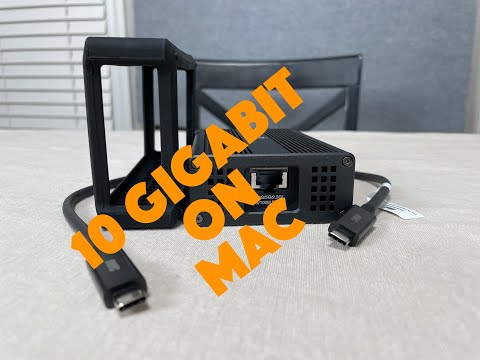
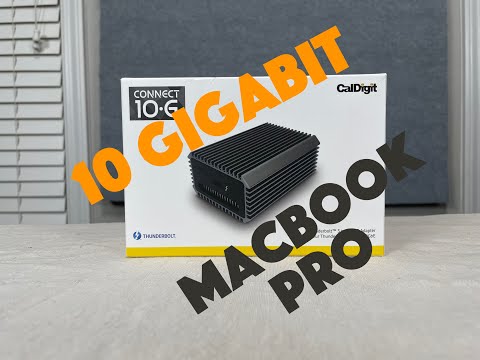
- Caldigit 10G connect
- Cable Matters Cat6a cable
- Intel Ethernet Converged Network Adapter X540-T2
Affiliate link — we may earn a commission if you purchase through this link, at no extra cost to you.
📝 Description
Affiliate link — we may earn a commission if you purchase through this link, at no extra cost to you.
Discount Coupon code ($50 off $500): GET50TGBATG
We look into Editing 4k video on a NAS over 10 GBe on a macbookpro and Synology DS1621+.
Although it you can have the NAS ( ds1621 plus ) in your workflow or part of your storage solution for video editing, we do not recommend editing on the NAS primarily due LATENCY. The latency introduced by going over the network and using spinning disks is multiple steps back in terms of performance for video editing.
It would be fine to have the NAS in your workflow where you use it as your mass storage for source material, but to have your library and cache storages on it would be a mistake. Although you could get away with it, the latency introduced from it would drive people looking for a high performance and smooth solution crazy and away.
Items used in video:
Synology 6 bay NAS DiskStation DS1621+ (Diskless): https://amzn.to/3vAi72I
Caldigit 10G connect: https://amzn.to/3eNMWKw
Cable Matters Cat6a cable: https://amzn.to/2RnySiF
Intel Ethernet Converged Network Adapter X540-T2: https://amzn.to/2SiTU2x
BlackMagic Disk Speed Test
ioping
Synology DS1621+ is a powerful and compact 6-bay network attached storage solution designed to store and protect critical data assets. Today’s growing amount of unstructured data requires smarter and increasingly higher performance methods of storing, accessing, and collaborating. Designed for scalability, the DS1621+ enables you to start small, then expand as your data grows.
🎬 Related Videos
📝 Video Transcript
hey what's up guys welcome back to the channel on today's episode we're going to talk about this the synology ds1621 plus and we're going to be talking about maybe if you should be using it for 4k editing or video editing or if you're a content creator and things like that it's not going to be a full comprehensive review of this item exactly it's going to be mainly focused around its performance and if you should be using it for video editing purposes so stick with us all right you guys so we picked this um synology ds1621 plus up a couple months ago it's been a while and we've been using it so we can pretty much give you um some some ideas about it we have been using technology products for a while ever since they first came out um i recently just upgraded to this one couple months ago from a ds213j i think or something like that and then also a rackstation 24 1 4 or something like that somewhere around that there's some rack station up there but anyways we still have those um but we picked this up mainly because it can do 10 gig purposes so we're going to be talking about that so this item and full disclosure nobody sent this to us we purchased this with our own monies the reason it looks a little bit beat up is because it was actually shipped in this box and we got a heavily discounted item from buying it from the amazon warehouse so it was i can't remember how much ridiculous amount ammonia was off but as most of you guys know on the channel don't buy anything at retail price so it was significantly discounted i'll probably put it in the uh description below but mainly because it was a used item maybe returned use or whatever it is but anyways it's been working fine so this is the box that really comes in we'll give you some stuff basic stuff here it this is one of the newer models um so it's a 1621 plus so this one has the amd ryzen 4 core cpu has support for two nvme slots it has the optional 10 gig capable pcie slot has expansion ports and the ram is upgradable when you get it or when it ships or what not it comes with one 4 gig stick it is upgradable i think to like 32 or 64 gigs if you're going to be doing something like that although i would say the process is probably going to be limiting you but i did upgrade my other models you could probably check that in other videos with i think it's called arch memory it's a direct replacement for the synology ram and it works perfectly significantly better cost and value oriented but it still works perfectly fine so like i said this is ds 1621 if you don't know how to read that model number how you basically read it is ds is a disk station lineup so it's kind of like sits on your desktop type thing rs like rackstation and stuff like that that's what the ds means 16 is pretty much the maximum number of drives one system can be capable of okay so in here this holds six drives right now okay it has two expansion ports on the back so if you come if you add all the expansion ports and things like that you can connect up to 16 drives to this unit okay and you have a 21 so this model was actually released in 2021 okay so this is a 2021 model that's how where that comes from plus so this is more of a value more performance a higher model tier than just the big just the basic ones without the plus a higher model one would on top of this would be xs plus or something like that so that's pretty much how you read that okay so we're going to get rid of this box i did purchase this thing here separately this right here is an intel r ethernet converge network adapter x540-t2 if you don't know what that means it pretty means much means it is a dual port base t 10 gigabit ethernet card based on the x540 chipset all right so we'll take you around to the back here real quick so you in order to install this car here you do have to unbolt or unscrew one two three four five six screws take this thing off and you put the card in and then you put it back in and pretty straightforward pcie and card installation there's really nothing to it okay it does have vents um so the car sits right here and most of you guys know pcie cars get pretty hot so it has vents right here that actually suck air through the through the vents and then allows air to get to the heatsink and then the pull the system pulls it out on the back with the with the fans that are located here okay so it does come with one two three four gigabit ethernet ports and here an optional two 10 gig e-ports and it does work perfectly fine no issues on this model this is a six hard drive model okay it does have a little key that it comes with that you can turn here so you don't accidentally unlock it on my system right now i did have it installed with this um the toshiba dta01 aca 200 okay this is a pretty old hard drive and we could probably go into the into the specs or whatnot and look at it but this one apparently it says manufactured in may 2015. obviously since this is year 21 this is pretty old um haven't been using it all the time i do have another zfs server with this mod with all these hard drives and it's been working out pretty well and had a bunch of spares laying around and with the current um kogit situation with with all the hard drives and i t and you know video cards and all that stuff on shortage i didn't really think it was smart to pay a ridiculous over surcharge on a hard drive so i just pulled out some of the spare spare drives that i had and then stuck them in there okay some of these drives i have been using in a previous disk station so you could we'll get in there and figure out how long they've been on but you could all that smart data will tell you pretty much how much it's been used so in this model or i have this my um this station set up with toshiba six of these drives and pretty much raid 10 okay i mean that's what we're going to be testing with today because in reality and you really shouldn't be using raid 0 i guess if you're planning on actually making this like durable storage obviously because if you have one hard drive failure you pretty much screwed if you're using this for a caching device we're going to talk about why you probably shouldn't be doing that because it's just not that smart but in a real situation where you're actually going to be using it pretty heavily you do not want to be using raid 5 that should be deprecated i think in most production environments it probably is i mean raid 5 is great but if you have one hard drive failure your performance is severely impacted a lot of people have have issues and things like that with the you can't even rebuild the array with the hard drives being at such big capacity without even um being having another hard drive fail during that time or just takes forever to rebuild it okay so i would stay away personally from anything that's not raid 10 or raid 1 i would probably stay away from raid 0 unless you have like multiple of these and you can afford a single single one going down by putting in aj but i think you're probably watching this video you're probably not going to be doing that so in a real situation do not set it up with shr do not set it with shr2 avoid all that that jibber jabber jumbo whatever use raid 10 okay if you don't know what reg 10 is pretty much in this configuration with six hard drives you have three mirrored sets okay so you have these like for instance not this exact configuration but you have two hard drives and mirror two hard drives mirror and another two hard drive mirror and what that pretty much happens is you stripe all of those across the mirrors that way you're in a way you're kind of cutting your capacity a little bit in half or whatnot actually probably more in half but um if i do the math i can think about that but you're losing a lot of capacity that's for sure but you are gaining a lot in performance for instance with raid 0 you have obviously no right hit with raid 1 you have one right penalty hit depending on how you want to read it but with raid 5 raid 6 you get into all these nasty parody read write penalty hits and things like that and if you're trying to use it for video editing you do not want any of that you want to try to avoid that as much as possible because video editing scrubbing high speed scrubbing and all that kind of fun stuff you want to reduce the latency on that as much as possible okay so do not do anything that is not raid 10 okay that is going to if you don't use raid 10 okay so be warning you i would not do that all right so um interesting note here i do have i did run a few tests using an sfp card that has a super micro sap card does work perfectly fine in here i can probably throw a mod number a picture of it or something like that up here i also did use um i think was the intel sfp plus card that works fine i did connect it to the smp switch and everything like that but in the really short distances if you're using it in like a business in a household and you're probably like less than i want to say like 100 meters or whatnot you're not going to see that much benefit from fiber over sfp plus or fiber versus copper unless you're going long distances or unless you're unless you're in an area that has a lot of rf type interference and stuff like that but if you're using a good quality cat6a cable or better you won't really have that issue okay if you are sitting in some kind of business environment and this is sitting probably i don't know three stories down or whatnot or on the completely opposite side of the building a couple hundred meters away you should definitely be using sfp plus cards with fiber okay that's definitely the way to go but in a environment like this room kind of using it at my house and this is going to be sitting in like two doors down or whatnot three drawers down uh-huh different story if you guys know the band anyways if you if you are using an environment like i'm using it in you're not going to see that much benefit from fiber or copper okay so let me go ahead and grab the computer and we're going to go ahead and connect to it and what i'm basically going to do is have this connected to the local network on a different my basic local network and i'm going to connect directly to this thing using a macbook pro 16 with a probably like a cal digit 10 gig connect g type thing and connect it directly here on a 172 or complete server network that way i can route to it directly without going through a switch and we'll go through some of the benchmark tests that actually matter if you are doing video editing on an ass okay all right you guys and we're back and we're back here with the macbook pro retina usb c 16 inch whatever you want to call it this computer has i think thunderbolt 4 or something like that but it doesn't really matter because this 10 gig cal digit 10g connect is only running at thunderbolt 3 and it's fine because with thunderbolt 3 you can still get 10 gig all right so let's give you a quick rundown of how it's set up this macbook pro is connected to this cal digit 10 connect 10g using thunderbolt 3 using a cat6a cable that's roughly about i want to say 15 20 feet to the rack station or disk station 1621 plus which is right over there okay it's literally i could probably touch it if i had i don't know a little bit longer arms but it is not within screen here but it is sitting right next to us okay so let's go into the computer all right so on here we're connected directly i'm just checking out some of the stuff here let's check out what we have going on here on here we have see the drives here like i said they're not brand new but it's been on for i don't know four thousand six hundred thirteen hours so it's not brand new has been used a little bit but it's no by no means old okay and just to tell you what we got going on on here let's go and check the network preferences so if we go look at network preferences we have this network this computer is 162.2.14 and we are connected at manual 10 gig full duplex with jumbo frames enabled okay so that's what's going on here let's go to network here and showing the network we are connected here at a whopping somewhere on here i'll say 10 gig something all right here we go network status 10 000 megabits per second that's 10 gig full duplex ntu 9000 which means jumbo frames are enabled okay and what we also have going on up in here is we have we have created one shared folder and then we have created another shared folder which is encrypted okay so the main the main two differences here it's the same thing it's on the same volume same stuff running ray 10 but one is encrypted when it's not the main difference i want to show you here is that if you do use an encrypted folder it does take cpu power to process or encrypt and decrypt the files that you're putting on there okay so it does have a performance hit how much of a performance hit we're about to go find out but if the encryption thing and if you're doing a lot of sensitive stuff and and you're i don't know paranoid and you want to encrypt all that fun stuff then you probably want to use encrypted and then this may matter to you but if you're really just uploading youtube videos no prior to information all that fun stuff you may not care about encryption maybe you do maybe you don't i'm just saying so we'll go and figure that out okay so the first thing i want to do is show you on here using six two terabyte drives in raid 10 the performance that you would get using disk speed test so this is not so this obviously setup does not have the nvme cards installed the main reason we do not have installed is mainly because when i'm mainly working in in this configuration the files and stuff i'm using on the nas are not always going to be accessed because of where i have it in the workflow i'll show you that in a little bit but we'll go ahead and do that let's go here let's select the target drive and we'll go and select the target drive that is on this 1621 p alright and we're going to select this shared folder this unencrypted folder okay so we're going to be running this test just let it go for a while and figure out what happens so using ray 10 we should be seeing some some disk activity going up here but it looks like we're getting mainly around maybe 400 close to 500 mega capital mb so megabytes per second okay actually what we should have done here is we should go enable resource monitor and try to figure out how that's going all right so we'll go to resource monitor while this is going we'll go to disks and instead of utilization we'll go look at transfer rate okay so transfer rate this this transfer is not exactly going to be scientific because it kind of takes an average over some certain time period and show you what's going on even if you do have it on in real time but see so we're getting somewhere around 500 megabytes per second right and 500 megabytes per second on reads okay if you have cash the nvme cash is still it's going to look a lot faster mainly because you're going to be reading and writing from the cache if you have the read write through cache enabled that may not be true but we'll talk more about that later so what i just did here was i switched the file size to five gigabit file sizes or five gigabyte file sizes see if it makes a difference sometimes it does sometimes doesn't depending on what you're doing this is probably what you're going to be getting so with the 5 gigabyte file sizes we're getting roughly around 420 megabytes per second rights and 420 megabytes per second reads i mean that's pretty standard and you shouldn't expect too much more than that but that's what you really get in this configuration right so this is the performance you would really see by connecting to a nas using ray 10 okay yes there are faster drives out there yes they're higher capacity drives out there unfortunately i just don't have that with me so what you can probably do if you did want to do this you could probably fill the entire all six drives using like samsung 850 970 or whatever they make for the ssd portion you can just slide them all in there and you could do that that actually just gave me an idea i may after filming this video i may go find some of those and then try to do that but i don't have them right now so we won't do that but for this video right now we're going to focus on spinning rust okay so this is the speed that you get using spinning rust so with that being said you would think that this is a good thing to use for off storage non-local storage on the nas but you would be wrong why mainly because the latency that you're going to be connecting through to the nas is going to be big all right so how do how are we going to measure the latency for each call and write so there's actually a nice little tool called io ping if you don't know io ping it's a little just to that kind of there's like a if you know what ping is it kind of does like a ping except to your drive that way you can kind of see the latency that's going back and forth between your drive so what we're going to do here is i'm going to go to we'll see what volumes are on here and obviously if i do let's do an i o ping right to the local macbook pro hard drive okay i'm going to ping the local temp directory which is obviously installed on this computer directly attached okay so you got to let it go a little bit because sometimes though depending on what the system is doing you will spike here and there right so look here we have 14 microseconds is that nanoseconds now we're going microseconds 14 12 17 14 16 11 79 so this is pretty much like the latency each request that you're going to be sending has roughly this much latency so i don't know what the average really comes out to be just looking here let's just say it's somewhere in the teens right let's say 15 16 or something like that okay so every read or every write command that you're pulling in and out of the disk it's going to be taking roughly 15 20 microseconds okay so now let's take that same um concept and try to ping the disc that's in the nas okay so if i do an io ping actually i forgot what it was let's go let's just do sf1 so in volume sf150 io ping and we'll do volume we'll do sf1 so if i do a ping it's going to be connecting from here through this cable through this adapter through this network cable all the way into the system and then eventually makes the commands and stuff throughout the disks so now if you look at it the each read and white request is going to be taking an additional i don't know what the average is let's just say like 800 okay 800 microseconds that's actually a lot if you think about one one read or write request that was taking 10 microseconds now one read write request is taking around 500 600 800 microseconds you've substantially increased the the latency between the computer and the storage okay you might as well be using just spinning rust directly connected to the computer i mean that's pretty much what you're doing now so you're not really getting that benefit of having an ssd type system because you're also you're you're pretty much having spinning rust connected to the system but also introduce more lanes by going over the network okay so if an enterprise world things like fiber channel and things like that may have solved this problem or not solved it but reduced it or greatly mitigated it by certain means but in a home type content creator type environment you you don't really have that that i don't know that benefit of being able to have all that kind of nice fun type stuff of equipment okay so therefore i would not necessarily want to use directly editing on nas because you are introducing a lot of latency and you will not get like good high speed scrubbing or if you do have to read constant cache and things reading back and forth it's just not going to be good okay we're going to talk a little bit more about that later hold on to that dot what we're also going to do now is we tested the unencrypted folder and it got somewhere around let's just say 470 420 whatever up to maybe five 500 megabytes per second all right so now let's test the encrypted folder so if i go back to the disk station here go to encrypted and then we'll test this encrypted folder with using one gigabyte files so now using one gigabyte files on on an encrypted folder we have now decreased the performance to let's just say about half at least in writes that's usually what's going to happen because as you're writing the file the cpu and everything has to compress it or has to encrypt it on the fly okay that's a lot of cpu power and you do especially asking from this tiny little i know it says it's a ryzen but it's it's not really in all that powerful cpu it's not like the desktop rising power okay so as you see it's obviously going here right but you're not going to be getting that same performance you would be from an unencrypted folder okay reads you'll probably get roughly around the same there's just not too much going on there because it is already encrypted at that point so let's just say 200 megabytes per second writes yeah 600 reads okay so now let's take uh actually it's already still there so let's go and select five gigabyte files okay five gigabyte files um rights well roughly about the same we're getting about 200 megabytes per second right right and then now we're going to be getting i don't know let's just say somewhere on 400 ish 350 370 megabytes per second reads okay so by using an encrypted folder we have now decreased performance even more i know it kind of sounds sounds like we're headed towards a lesser lesser performance system okay but the main reason i'm stressing this is because this took me a while to figure out why the rack station i think is an rp2414 something like that that i was using previously was only getting like 15 megabytes per second rights and reads and that was bringing mainly because everything i was doing was encrypted just being a paranoid person that i am and you just try to encrypt everything okay so in in this case i mean this is just not really all that usable at this point think about it we spent i don't know how much this thing was this let's just say it's like 400 bucks or whatever on the system itself and then a bunch of drives and now we're connected to 10 gig we got this interface card and we have this adapter and this it's just not really worth it okay so to get the performance of video editing that you would want on over the network this is not the type of setup that you would want if you are okay with doing maybe unencrypted stuff you could probably get away with it a little bit i know probably most of the people watching this video are going to be doing their stuff all unencrypted anyways but i mean if that's your thing then that's your thing i don't do that stuff so you get a lot of performance hit on that so let's talk about what you where i do use this now okay so if i do use this i'm probably going to use this for probably just offloading footage that we that we record okay so footage is gonna be coming off the iphone we're gonna be putting storing it pretty much all on here like long-term storage and then when we're editing we're going to be pulling it directly into what we use final cut and then editing directly on the local disks that on the computer or directly attached local disks through nvme buses okay that way you don't have to have that additional i'm going to say i'm just going to round it off to like a millisecond millisecond latency trying to read and write and access the drive okay doing that because each read and write command to drive is is being delayed by an extra millisecond that is astronomical if you encounter count the number of reason writes a computer has to make to disk every time right so that that's just significant it's just unbearable it just seems like you spent like a lot of money trying to try to figure out how to get a performant video editing system and that's just not really gonna work okay so for that reason i don't directly edit on the nas if you do if you don't care about high screens grab high speed scrubbing or any of that stuff and you don't need to work super fast or super fluently and all that kind of thing then you probably don't care about that okay and you could probably make do with editing directly on there but that kind of stuff really annoys me when you're trying to scrub and trying to find things and and you're waiting for it to render and process and export it just takes a long time and i just can't deal with that so i do not edit directly on here i only use it to offload footage for a while i did use the edit directly on here and we're going to talk about this in a second too but this is also a bad idea mainly because it will get super hot and then it will start thermal throttling i will create another video in the future on what i did actually find out that works which i would say is probably reasonable and if you're a content creator you could probably do that okay and i'll definitely recommend doing it that way and i'll create a video for that in the future but we're going to talk about this so this right here is a sabrin's or sovereignty or whatever you're from depending on how you want to say it thunderbolt 3 enclosure that takes an nvm e2 card so in here i've put a samsung 970 evo and we can run these exact same tests on here to try to figure out what's going on and just for information sake i i've only used this thing with encrypted i don't do anything unencrypted around here so this thing is going to be encrypted so let's see what it looks like when we plug it in and then get the numbers from there so we plugged it in it's going to pop up somewhere around here asking maybe to there we go so unlock this device there we go all right so it is going to be there now what we're going to do is we're going to select the target drive in black magic disk speed test and it should be is it this with the final cut library yep um this is this is the imovie light this is there the drive i used to move my imovie library to final cut but anyways we're going to be using um directly testing the blackmagic disk speed test on this device using 970 evo okay going to one gigabyte files so one gigabyte file speed test using a disk speed test black magic here getting like 1100 1200 writes and 1300 reads and this is using i think it was apple's formatted encrypted disk storage all right so this is what you would pretty much expect so this is astronomically magnitudes faster than editing directly on the nas okay but what's downside downside it it's expensive obviously because using all nv you're using nvme drives and other thing is it's limiting capacity because you got one nvme drive okay there's a model they make too i wouldn't really do with that mainly because you have like thermal drawing issues which this will have if you do edit directly on here okay so this was a secondary solution that i've ended up with and if you put a fan on there and cool it down you could probably get a little bit longer but you still run into thermal throttling issues if you are a heavy user and using it as caching device and backups and and rendering so to fully answer go back to the other question of the latency that's going to be delivered on here so if you look at the latency let's go look at ls on volumes again right look at lsn volumes here we go samsung 970 evo so if i do an io ping right on samsu or actually what's going to be here is going to be slash volumes on samsung 970 evo remember going over the network was giving you roughly around 800 900 microseconds right so if i do an ioping directly on this device because it is using thunderbolt 3 not necessarily usb okay thunderbolt 3 have the direct availability to connect through the pci bus on this nvme drive you're getting very close if not the same numbers you would be getting by talk using your local disks on your mac okay so therefore using this external drive is significantly faster cannot even actually you could quantify it if you want to do the math but it's significantly faster magnitude's better by editing directly on here okay obviously nvme drives wear out faster than spinning rust it's it's just not that that doesn't make that much sense to do it on here actually it really does if and if i was a content creator which i am check out my other videos my other channels this would wear out very fast and i think for a while it works out fine for a normal average content creator user it's perfectly fine you can air wear out you just replace it it's like a one-time buy that you have to buy maybe once every year or two and to be able to improve your workflow it's that would be the way to go there is a better way to do this above this and i'll talk about that like i said another video but because of the latency that's going to be introduced by editing directly on a nas storage not over fiber channel like on your local network i would not be editing videos on your nas and my recommendations do not edit 4k or any video editing on the nas only use it as a source of storage okay if you are going to edit i would edit on this nvme drive you can directly connect to the mac i'm not sure if there's any windows computer and things that can do that i'm sure there probably is that can use thunderbolt and do all that kind of fun stuff but for a mac user i will do that obviously put a fan on there to cool it down so you can reduce them with throttling but that's where it really works out so like i said i hope this video has helped you guys out stay tuned because sometime in the future i will throw up a video on how to do uh the best way to do video editing for the average or whatnot at home so that's what i would do um with that being said what if you do have a nas and if you're using final cut i would probably use nas to like if you go into your library settings you can throw your backups and certain things like that in different places in your library i'll probably throw the backups to the nas because it's going to be more reliable consistent always there kind of storage i would probably throw things like cash or whatever cash in your library either directly onto the drive or on your local computer or you can actually just get two or three of these drives and just connect it and use one for cash one for library or one for direct editing whatever you want to do it all works out i mean if that's the way you want to do it that is the way it gets really expensive that way because you have to buy like one terabyte or two terabyte drives then you got to buy these enclosures which are like 60 80 bucks or something like that so that's what really works out it's a good time saying no one sponsors video and no one send us all the stuff this is all stuff that we bought and stuff that we learned through experience and i don't know generality stuff so like i said hope this video helped you guys out stay tuned for a future video and then we'll see you guys next time bye