WattCycle Bluetooth App Review: 48V 100Ah LiFePO4 Battery BMS, Active Balancing & Remote Shutoff
Troubleshooting note from this video
📝 Description
WattCycle Bluetooth App Review for the 48V 100Ah Wall-Mounted LiFePO4 Battery
In this video, we take a full look at the WattCycle battery app for the WattCycle 48V 100Ah wall-mounted LiFePO4 battery. This app connects over Bluetooth and gives you real-time BMS information, battery percentage, voltage, current, watts, cell temperatures, individual cell voltages, warning status, active balancing data, and charge/discharge control.
One of the best parts of the WattCycle app is that it supports guest mode, so you do not have to create an account just to connect to your battery over Bluetooth. You can also use login mode if you want to bind devices and sync account data, but for basic monitoring and control, guest mode works quickly and easily.
In this walkthrough, we cover:
WattCycle app guest mode vs login mode
Bluetooth battery connection process
Real-time state of charge display
Battery voltage, amperage, and wattage monitoring
Warning screen and fault status
Cell temperature monitoring
Individual cell voltage data
Active balancing / equalizing switch data
Balancing current and cell differential voltage
Remote charge and discharge on/off control
Why software shutoff is useful but not a replacement for a breaker
Real-world test with a Victron MultiPlus-II load
App responsiveness, delay, and user experience
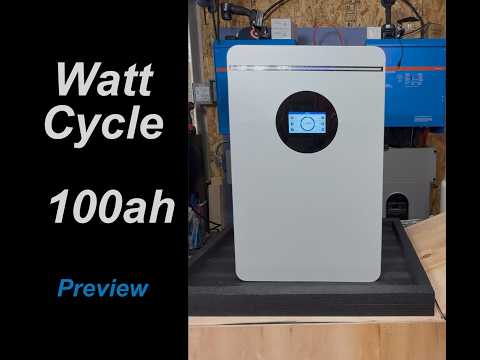
The WattCycle 51.2V 100Ah wall-mounted battery is officially listed as a 5120Wh / 5.12kWh LiFePO4 battery with a 100A BMS, smart Bluetooth, LCD control, multi-protocol communication, RS485/CAN, and active balancing. In this video, we focus specifically on the Bluetooth app and how useful it is for monitoring and controlling the battery during real-world use.
Important safety note: while the app can turn charging and discharging on or off through the BMS, I would still use the physical breaker as the true hard disconnect before working on any battery, inverter, or power system. Software control is convenient, but a mechanical breaker is the safer method when servicing equipment.
If you are using this WattCycle battery with a Victron, EG4, Growatt, LuxPower, Sol-Ark, Eco-Worthy, or other 48V inverter setup, this app gives you a quick way to check your battery status without needing to walk over to the LCD screen every time.
Drop your questions below and let me know: do you prefer battery apps with guest mode, or do you like account-based cloud monitoring?
#wattcycle #lifepo4 #bms #solarbattery #48vbattery #offgrid #offgridsolar #homebackuppower #victron
00:00 WattCycle Battery App Walkthrough Intro
00:21 Guest Mode vs Login Mode
00:50 Why No-Account Bluetooth Access Matters
01:28 Connecting to the Battery Over Bluetooth
01:54 Live Battery Status and State of Charge
02:19 Warning Icon and Fault Screen
02:35 Temperature Monitoring Screen
02:55 Cell Voltage and Active Balancing Data
03:18 Equalizing Switch / Active Balancing Explained
04:02 Cell Differential Voltage and Balancing Details
04:19 Amps, Watts and Real-Time Load Data
04:34 Device Binding, Shopping and Account Features
04:59 Charge and Discharge Control in the App
05:27 Remote Discharge Shutoff Test with Victron MultiPlus-II
05:42 Software Shutoff vs Physical Breaker Safety
06:33 Why a Breaker Is Still the Safer Disconnect
07:08 Turning Discharge Back On Remotely
07:33 Relay Clicks and Power Restored
07:41 App Responsiveness and Feature Recap
07:49 Balancing Current on App vs Battery Screen
08:30 Changing Balancing Current on the Battery Screen
08:52 Final Thoughts on the WattCycle App
Product WattCycle 5.12kWh 48V 100Ah Wall-Mount Bluetooth LiFePO4 Battery
Battery Type LiFePO4 / lithium iron phosphate
Nominal Voltage 51.2V
Capacity 100Ah
Energy 5120Wh / 5.12kWh
BMS 100A BMS
Monitoring Bluetooth app + LCD control
Communication RS485 / CAN
Active Balancing Yes, active balancing / equalizing supported
Multi-Protocol Support Yes, listed as multi-protocol
App Login Options Shown in Video Guest mode and login mode
Guest Mode Benefit Allows Bluetooth monitoring without creating an account
App Data Shown in Video SOC, voltage, amps, watts, warnings, temperatures, cell voltages, balancing current, cell differential voltage
App Control Shown in Video Charge and discharge can be turned on/off from the app
Safety Note from Review Use the physical breaker as the hard disconnect before service work; do not rely only on software shutoff
Real-World Test Setup Mentioned Battery connected to a Victron MultiPlus-II powering a small garage load
batteryappbalancingbluetoothwattcyclemodecellvoltageactivecontrolmonitoringbmsdataguestaccount
🎬 Related Videos
📝 Video Transcript
Hey, what's up, guys? Welcome back to the channel. On this episode, we want to go over the app for the Watts Cycle battery. We had a few videos, but we didn't really get to get into the app a little bit.
And the app is really nice. It's a good app. It's responsive, and there's a lot of stuff you can do inside the app, and it's very useful to look at it every once in a while and then. And it's a good app.
So, on this episode, let's get into the app. Here's the app, and there's two modes to log in. There's guest mode and login mode. There's obviously pros and cons to each one, but I'm really glad they did this because I really do not like apps.
Especially for BMS apps that make you require or creating an account to use the app. That's ridiculous. You're create You're connecting to the battery using a Bluetooth connection. You do not need to create an account.
It's almost like you need to create an account to connect to a Bluetooth speaker or something like that. That's kind of ridiculous. Yeah, so we didn't do that. When you click on one of these, it'll tell you the pros and cons of each one.
Here, look at that. Guest mode, login mode. Obviously, if you log in, you can bind the devices and stuff like that to your account. And then, your account data can sync across your other devices if you log into those types of things.
We don't need to do that cuz we're only here to basically use the device on, you know, the app to the device or to the battery to check in on it. I've even seen apps cuz I've had those apps, you know, that make you create an account and also even tell you the address of where you're at to even use the app. Those things are ridiculous, and I would not do that. But here, it's great that they give you the option.
I'm We're going to go with guest mode here. And then, once you log in, it's going to or once you load up the app, it's going to do a basic search for your Bluetooth. There's a few batteries I have here. Obviously, these two are the ones I show up.
The battery for the wall mount battery is going to be this one right here. So, when you click the little slider, it'll log in to the battery or connect to the battery, and it'll pull the information down. I know this is the right battery for this because I know this one is discharging roughly about 1 amp cuz it's connected to the Victron MultiPlus two here. And if you log into the app, there's little animation that happened that tell you what's happening.
You can see here a little icon is blinking. There's, you know, like three to four little like quarters so to stack. And because it's beat at 97%, the fourth quarter, you know, which is between 75 and 100 is the one that's blinking. So that's pretty nice to know.
There's a lot of stuff on here that you is not obvious that you can click on. So we'll go ahead and go through some of this. So if you click on the warning icon here, um the warnings that you have will pop up. I obviously don't have any warnings on here, but if you had some, it'll pop up.
If you click on the tachometer thing looking here, or next to the temperature, the temperature display will come up and it tell you the environment temperature, monster cell temperatures, and all this stuff. It's definitely warm in this garage. This garage has been cooking all day with the sun just blasting on it. So it's a little still a little warm in here.
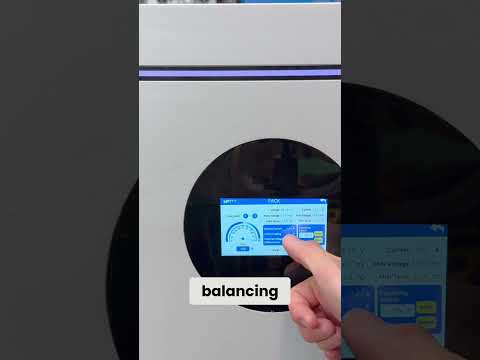
The if you click on the volts here, the V, it goes into the voltage of each cell, and it tells you the active balancing that's going on. As you saw right there, it's being balanced. That's the BMS active balancing that's going up on this pack. What it's called on here is called balancing current, or if you look at the front of the battery, that thing we showed you in the earlier videos, it's called equalizing switch on and off.
This equalizing switch is on, and it'll tell you which cells are being balanced. So in case you missed it, this battery has a BMS that has active balancing, which is great, especially for these types of batteries, because otherwise, you're not really going to be able to get a balancing on all the cells if you don't have an active balancer. There is a way to get it just when you charge them all the way up to the top, you know, they will eventually just equalize up to the top. Like if you just charge them all the way to 100%, and you just let it sit there, they will eventually equalize out.
But if you don't really ever get to charging it all the way up to 100% all the time, then you won't really have great balancing. And you know, in most batteries that's probably going to be fine, but it's always great to have an active balancer. That way you can keep the cells equally matched. And you can tell on here it's it's taking an active balancing approach and just balancing all the cells across the same.
It even tells you the differential voltage across the cells, right? So, the max differential voltage. So, this is a great little app. have and you can see the details of each one.
If you go into the amps, you don't get anything, but you get the wattage on there because you see 47. 5 W. Like I said, it's connected to the Victron MultiPlus II powering a little fan in this garage, but the wattage is easily calculated between voltage times amps. So, you know, that's pretty straight there.
If you go in here, obviously, you'll see your devices and stuff like that. I'm not going to do any of this binding and stuff like that. You can go into the app and do shopping in case you wanted to buy more stuff. If you had an account created, it'll like you just buy it and then just ships to you.
Uh, it's pretty simple. I am not going to do that like I said, but you know, that's very easy to use. So, >> [clears throat] >> as we see on this screen, as I mentioned in the previous video, you can stop and start the charging on this this app. So, our charging or discharging.
And as you saw in the earlier part, the locking part, you can't really do without binding or doing login mode, but you can stop the charging. As you see right here, it says 9 amps being discharged. So, we hit the power button on discharging. Did you hear that?
I'm not sure if you heard that. The that's the Victron MultiPlus II powering off because the battery connection has been turned off, right? So, this is a very interesting situation and I take a very interesting approach to this primarily because it's a software shutoff, meaning um, the BMS has essentially turned off the discharging to the battery. And if or from the battery, and if you take a look at that, it's, uh, it's it's a good safety factor to have.
I don't know if I would personally trust this in terms of I would I wouldn't necessarily use it this way, uh, discharging or turned off before I work on it. What I would do is actually go work hit all the breakers and make sure the breakers are off because that's a hard disconnect. And yes, if you turn it off in the BMS, you could argue it's a hard disconnect because, you know, the relay or the switch is turning it off, right? And there's no connectivity, but a software is controlling that, uh, and, you know, if there was a bug or some auto timeout or something like that, it could automatically come on.
It's almost like a false sense of security. If you're going to work on it, it's great to have, don't get me wrong. Um, it's it's it's obviously great cuz you can turn it off from far away cuz if you had, let's say, four, five, or 10 of these, you can turn each one of these on and off to figure that out, right? But if you're going to work on it, I would definitely go hit the breaker on it before you go actually work on it because the breaker cannot automatically be turned on, right?
It's not like a software bug that can, you know, have a bug or something like that. Not that the software is buggy. I do want to point that out. The software works great.
Uh, but it's just a false sense of security. Anybody who's working on these types of systems, you obviously know a hard cutoff is actually the best safest method here. So, uh, it's turned off. Let's see if I can turn it on and then see if you can hear the sound of the, uh, Victron MultiPlus II coming back.
So, I'm not sure if you heard that, but, uh, when it came back on, it takes like a 2 seconds or 3 seconds and then, uh, the power comes on and then the, uh, power's, you know, being distri- or sent back to whatever the load is. In this case, it's the MultiPlus II. You heard the relays click and there it goes again. So, uh, this is very interesting.
Like I said, I haven't seen this in too many of these bigger batteries and maybe I still have enough of them, but it's a really nice and neat feature to have. Uh hopefully this gives you a good look at the battery app. Um if you look at the front part of the battery, the equalizing switch and all that stuff is on. The balancing current also is reflected.
Um if you look at the uh the balancing current on the battery that I'm looking at right now is about 0. 8 0. 9, right? And that's what's actually being balanced, which is different than what you can see on here, right?
So, on the balancing current here it says 0. 8 0. 9. You see it right there.
It's moving really quick, 0. 4. There is a very small delay between this and the screen, which is noticeable. You know, this is changing a lot.
If they average it out, you know, it'll probably be a little bit better, but you can tell if the balancing is on or not, and that's really [clears throat] neat. The balancing current can be changed, uh but I don't think you can change it inside of this app because I haven't seen a way to change the balancing current inside of the app, but you can change it uh if you on the screen of the battery. Uh meaning you can set the balancing current between I think it was like 0 to like 3 amps. So, 3 amps of balancing current is actually a good bit for each one of these cells.
Uh so, that's really neat to have, but I really hope this video has helped you guys out in understanding the app and the capabilities of this Watts Cycle uh wall-mounted battery because this is a really neat app. It does work really quick. Responsiveness is quick. It's not slow.
It's not laggy. You don't have to log in. All that other stuff is great.