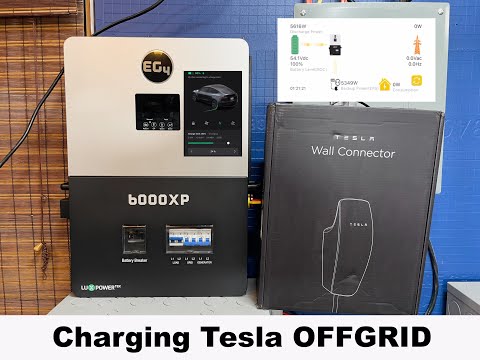
How to Setup battery communications EG4 6000xp and aolithium lifepo4 server rack batteries
📦 Products Featured in This Video
EG4 Electronics
EG4 6000XP Off-Grid Inverter
Buy on Signature Solar →Affiliate link — we may earn a commission if you purchase through this link, at no extra cost to you.
EG4 Electronics
EG4 LifePower4 Lithium Battery 48V 100Ah
This listing is no longer available at Signature Solar.
Browse Signature Solar →Affiliate link — we may earn a commission if you purchase through this link, at no extra cost to you.
Troubleshooting note from this video
🔗 Links Mentioned
Affiliate link — we may earn a commission if you purchase through this link, at no extra cost to you.
📝 Description
Affiliate link — we may earn a commission if you purchase through this link, at no extra cost to you.
Discount Coupon code ($50 off $500): GET50TGBATG
6000xp Inverter: https://signaturesolar.com/eg4-6000xp-off-grid-inverter-split-phase/?ref=bkpkbxde
Lifepower4 battery: https://signaturesolar.com/eg4-lifepower4-lithium-battery-48v-100ah/?ref=bkpkbxde (no longer available at Signature Solar)
1511006
1511090
#eg4 #lithiumbattery #energystorage #batterystorage #offgrid
lifepo4batterysolarinverteroff-gridoff gridvictroneg448vbms
🎬 Related Videos
📝 Video Transcript
hey what's guys back to the channel I have been using this 6000 XP over the last few months with many different kinds of batteries including these AO lithium batteries and these life power 4 batteries among several others and the way I generally have it set up is I have the 6000 XP communicating with battery Communications with the life power 4 batteries uh but in this episode I'm going to show you how to get the 6000 XP talking to the AOL lithium batteries using uh the battery Communications here so if that's what you want know and how to do it including other batteries in the set to get them all talking to the 6000 XP stick with us all right you guys so this right here is eg4 6000 XP you just saw in the shot behind me and uh for the purpose of this video I'm going to assume you have everything else set up and we're going to be talking about just the battery Communications with the 6000 XP and the AO lithium batteries okay I I know there's six of them here and they're all technically electrically connected together it's this a huge mess right here right with the life power 4S this and other batteries all connected everywhere but for the purpose of this video we're only going to be talking about one two three these three batteries here as we have the communications set up here okay so uh let's go ahead and talk about this so take the orange ethernet cable that comes with the 6000 XP take the batom 568 BS side and plug it into the ethernet port that's inside of here right come out of there then take this this uh 568b or I'm not even sure if this side even matters but take this side and then take plug it into your can 485a port on your master battery pack and according to the manual on your master battery pack you need to set all the dip switches down except for number six put number six up okay and then on your slave on your first slave pack here uh come out of the Master battery using 485b connect with the standard pinout ethernet cable and connect to this RS 485b Port here and then set your first slave pack address to one to be up and then all of them to be down okay so this is your first slave pack and then take the another ethernet cable come out of this 485b port and then connect to your second slave pack on your rs485 bport here and then set your second slave pack to be all down except for number two okay so just to recap three batteries here Master battery pack slave battery pack second slave battery pack Master battery pack connect the orange cable to can 485a dip switch number six up slave pack dip switch number one up and then your second slave pack dip switch number two up okay so that's the way that this is set up right now and we can go ahead and then take take a look at the app to kind of show you and and the programming you need to do on the 6000 XP but I do want to iterate on this okay so one thing you need to do when you change dip switches on any of these batteries here you need to power cycle the battery what that means is turn the power off wait I don't know just count to 10 or something and flip it back on okay that's what needs to happen in order for the dip switch change here to take effect okay that goes for all the batteries or any dip switches you change so going to uh the 6000 XP uh right now go into menu hit the enter button for about 3 seconds and you'll go into menu you want to go to setting number I believe it's three which two three oh that s too far so go to the setting where the battery icon keeps flashing hit enter you go in here leave it on type lithium ion which is type three and then here you get the battery brand and according to the manual zero is eg4 and um two I believe is pylon Tech so right now I've already done it to two but just in case you didn't you know you you would already be on zero I'm assuming just say you're on zero go up to two all right hit enter go back and it'll automatically save and reset okay so uh going on on the battery Communications here seeing if you can actually see the screen right now it says the battery is at 51.7% okay everything is normal and happy all right there's a battery status gauge here it's kind of coming across weird on this camera but you can kind of see it so right now it says the battery is at 51.7 volts go on here and we're at 78% capacity okay so right now let's just go take a look at the BMS uh what the BMS says the status of these batteries are so this master pack right now assuming it ever comes on is at 53% this one is at 90% And this one here is also at 90% not sure if you saw the uh video we posted a long time ago about these batteries but one of these batteries is always lagging behind shares probably has something to do with this crazy electrical setup here but you know for some reason one of them is always behind but I'm assuming if somehow you figure out the numbers between 53 90 and 90 here somehow magically you're going to get to 70 something or whatever this thing said right so about 78% okay so it does work on here and it does work or you can kind of see it right but I'll go into the app and then we can show you what's happening inside of the app all right so opening up the app here let's go take a look as you can see I'm running the latest version of the firware at the time of this recording and it knows there's three batteries connected okay so the inverter recognizes three batteries but the capacities and and the parameters aren't lining up here right cuz the battery capacity says 150 amp hours technically each battery is 100 amp hour so it should say about 300 and the charge limit is set to 240 and the discharge is 270 so somehow if you divide this by three right it or the battery capacity should say 300 but if you divide the charge and discharge limits by three you would be getting somewhere around 80 right for the charge limit which is interesting because according to the manual it says you should charge the battery pack at 50 so I'm not exactly sure why it's saying that like I said maybe it's not working perfectly as designed or maybe it is who knows but you know uh if I'm going to go on on a limb here and say maybe they have it uh limited for some reason uh maybe due to the cables coming uh with the battery packs cuz as most of you guys know that's limited uh due to its size but for some reason that doesn't make sense because right now it's saying that you should push more through it than that cables were so who knows you're going to have to talk to a0 lithium but the one thing that does work is that it knows the number of batteries that's connected uh to the inverter and the inverter is happy about that whether the parameters are correct that's a different story all right so that's how you set up battery Communications with AO lithium server rack batteries and the eg4 6000 XP okay so I'm going to go ahead and say this is a inverter that's made by Lux power and it's this one is branded for eg4 I'm assuming um other rebrands of this inverter by Lux power it's probably going to work the same way with the AO lithium battery packs okay so I really hope this video helps some of you I know I've been getting a lot of questions or and sometimes even messages on you know have we got to work this way so the answer technically is yes I personally don't use the communications between this and the AO lithium battery packs because I have it connected to pretty much uh a life power for pack and have communication set up that way but um it is possible to use uh the Lux power or even the eg4 6000 XP with the AO lithium battery packs okay I know a lot of people jumped in on these battery packs like I said uh I think back in the previous video at one point it was the entire server rack battery pack like a 5 Kow hour battery pack shipped to you including cables right for like $980 or something something like that right now they kind of up the price and it's like 11100 and they don't include cables but who knows what's going to come around next Black Friday who knows right so if you wanted to do this you can't it can be done okay there are other people who also use the uh 6,000 XP right without the BMS communication you can always just set up charge parameters and you know manually user input settings but for people who want to use it that way that's how you would use it and just go through the manual of the book because it tells you pretty much how to use it and how to set each dip switch um you can pretty much set all of them up in case you wanted to I can't remember what the maximum number of kind of batteries you could set in there was but it's a lot okay so uh like I said hope this video helped you guys out if you have any questions let us know otherwise have a great day and we'll see you guys next time n