Victron MultiPlus-II 12/3000 UPS Setup: Better Than a Traditional Battery Backup?
Comparison that includes this video
🔗 Links Mentioned
Affiliate link — we may earn a commission if you purchase through this link, at no extra cost to you.
📝 Description
Affiliate link — we may earn a commission if you purchase through this link, at no extra cost to you.
Victron Inverter: https://signaturesolar.com/victron-multiplus-ii-12-3000-12v-input-3000w-output-120-240v-120a-charger-transfer-switch?ref=bkpkbxde
12v battery: https://amzn.to/4wlucrH
Alternate 12v batteries: https://amzn.to/4xD53K3
I replaced a traditional 550VA CyberPower UPS with a more powerful and permanent backup-power system built around the Victron Energy MultiPlus-II 12/3000 inverter/charger and a 12V 100Ah LiFePO4 battery.
Frequent thunderstorms and longer power outages made the small sealed-lead-acid UPS unreliable. In this video, I explain how a Victron MultiPlus-II works as an uninterruptible power supply, demonstrate automatic transfer from grid power to battery power, and show how it switches back to utility power when the grid returns.
This system is used to provide backup power for networking equipment, security cameras, an NVR, wireless access points, and other critical electronics.
We cover:
Why traditional UPS batteries require frequent replacement
The limitations of a 550VA consumer UPS
Victron MultiPlus-II 12/3000 inverter/charger basics
AC input, AC output, and AC Out 2 behavior
Automatic transfer during a power outage
12V 100Ah LiFePO4 battery backup
Battery disconnect and DC breaker setup
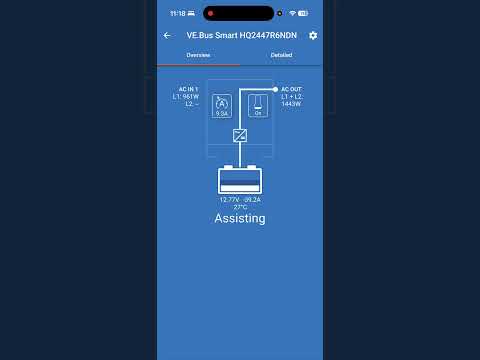
VE.Bus and Bluetooth monitoring
How the system supports networking and security equipment
Testing the system under simulated power outages
Why a larger inverter does not automatically mean longer runtime
Important wiring and electrical-safety considerations
The goal is not simply to install a larger UPS. The battery capacity, wiring, overcurrent protection, ventilation, grounding, transfer configuration, and connected load all need to be properly designed. AC and high-current DC wiring should be installed or inspected by a qualified electrician.
The MultiPlus-II 12/3000/120-50 is a 120V true-sine-wave inverter/charger rated at 3,000VA and 2,400W continuous output at 25°C. It includes a 50A transfer switch and a 120A battery charger. Confirm the exact model number before using specifications for your installation. Official specifications: Victron Energy MultiPlus-II and Victron technical specifications.
What would you use as a permanent UPS for your home network—another traditional UPS, a Victron system, an EcoFlow, or a whole-home battery backup?
Subscribe for more videos about Victron Energy, LiFePO4 batteries, solar power, backup power, home networking, and off-grid electrical systems.
#victron #VictronEnergy #MultiPlusII #UPS #LiFePO4 #BatteryBackup #PowerOutage #InverterCharger
Important correction for the video: the unit’s transfer switch is 50A, while the battery charger is 120A. Calling it a “120A transfer switch” would be inaccurate.
Also, the standard MultiPlus-II 12/3000/120-50 is a 120V model. It should not be described as independently producing 120/240V split-phase output unless the installation uses the appropriate multi-unit configuration or a different 2x120V model.
0:00 Why I Replaced My Traditional UPS
0:52 What Is a UPS?
1:32 Traditional UPS Battery Maintenance
2:24 Why a 550VA UPS Was Not Enough
2:47 Introducing the Victron MultiPlus-II
3:15 MultiPlus-II 12/3000 Overview
3:42 AC Input and AC Output Wiring
4:38 AC Out 1 vs AC Out 2
5:02 Battery Cable and Anderson Connector
5:16 VE.Bus and Bluetooth Monitoring
5:48 12V 100Ah LiFePO4 Battery Setup
6:07 Connecting the Battery and Load
6:59 Turning On the Victron MultiPlus-II
7:18 Returning to Grid Power
7:42 Simulating a Power Outage
8:41 Automatic Transfer to Battery
8:54 Switching Back to Utility Power
9:18 Permanent Rack Installation
9:44 Surge Protection and AC Input
10:19 DC Disconnect and Breaker
11:38 Connecting Networking and Security Equipment
12:20 Final Backup-Power System
12:45 Monitoring Battery Runtime
13:19 Final Thoughts
13:52 Traditional UPS vs Victron MultiPlus-II
batterypowervictronupsmultiplustransfertraditionalbackupchargersysteminverteroutputhttpsinputswitch
🎬 Related Videos
📝 Video Transcript
Hey what's up guys, welcome back to the channel. In this episode, we're going to be talking about UPSes, which is this device here, and we're going to be replacing this temporary UPS with a more permanent UPS by something like Victron. Maybe not this beast here, but something like that. Uh so, let's talk about why that is.
So, recently, if you've been alive recently, especially around where we are, there's like thunderstorms pretty much like every day now, and the occasional power outages that used to happen maybe like once or twice a quarter is now happen seems to be happening every other day. And then for me, uh what I've noticed is that uh the the system that I replaced this with, which is a temporary uh UPS system, is that now it doesn't even work half the time, and it's only been a couple months for that one. So, we decided to bite the bullet and replace a, you know, temporary one with a more permanent real solution, as I would call it. So, let's talk about uh UPSes in general.
What are UPSes? A UPS stands for uninterruptible power supply, and the basic idea behind that is that most of the time, it'll pass through, you know, mains power, power from the grid, uh to the devices that's connected, and in case of a brownout or a power outage, it'll automatically switch over to battery backup power, generally provided by batteries that's inside of here, um really quick to to make sure that the power that the uh devices are connected to is uninterrupted, therefore uninterruptible power supply. And in my case, I've replaced, I think, four of these units uh generally in our house, and then it uh seems to be we seem to buy a new unit about once every 2 years. I'm replacing the battery inside of them about once every year or so, anecdotally.
Some seem to last longer, some seem to last shorter, but the basic point is that these units always seem to need some type of maintenance, and maintenance most of the time being replacing the battery that comes in here because it's like a sealed lead acid battery. Something like this has like two of these in there and you could replace this. So, when I bought this, if I generally remember correctly, it was somewhere around $199. And then the replacement battery, if you go with the OEM ones, are somewhere around $75 and $99.
Uh, so you would argue, yes, you could just replace this, get away with it, just keep up the maintenance cost, right? But I've also had another problem with this where is that this device, um, it just doesn't run long enough. The power outages, they used to just be like a minute or two, like, you know, while power company or something got something back up or, you know, there was some random outage. But now the power outages seem to be like 15, 20 minutes.
I think I had one the other day that was almost an hour, okay? So, we want to replace something with a little bit more permanent. The point is we're going to replace this general unit with something like this. There's going to be much better performance, I would call it, for something like this.
Yes, there are some downsides. Obviously, it doesn't have a power strip, it doesn't provide surge protection, but we're going to fix that another way. So, we're going to be replacing that unit with this unit. This is a Victron Energy MultiPlus II.
This particular unit is a 12-V 3000 VA inverter. And on this one, we've already wired this up. What we've taken here is a heavy-duty extension cord like so, and then we walk cut it in half and wired the plug sides, okay? If you're going to do this, not saying do this, but what we've done here is we've taken heavy-duty extension cord.
This is a 10 10-gauge wire, pure copper, and then we've cut it in half and then use it for each half, okay? If you're going to do this, I would not get anything that's a 14-gauge or 16-gauge, and that's mostly your typical extension cords. You want to get something like a 10 or a minimum of 12 gauge extension cord for something like this. And make sure you get pure copper.
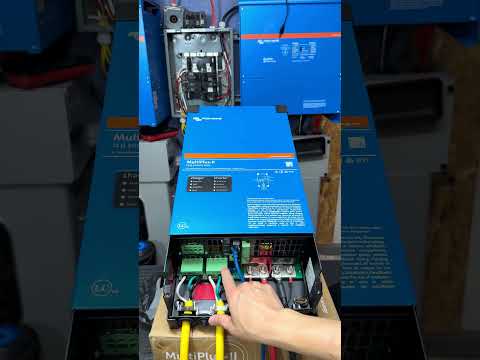
>> [clears throat] >> So, we've cut it in half and we've wired the power inside to the AC input here. Um and we've wired the uh plug side here, you see out, to the AC output one here. And as you can see right here, um this system has AC out two and AC out one and AC uh uh in. So, in most Victron systems, like a MultiPlus system, you have AC out one and two.
AC out two um is does [clears throat] not stay powered when the grid is offline. Meaning, when this port here loses power, this section will no longer be powered anymore. In this case, we've used uh this battery cable, which has a hot plug or an Anderson power uh smart connector. I think this is SB 175.
It's quick connect and this is impossible to get wrong. So, I would use something like this primarily cuz this enables a hot connect and then hot disconnect safely under load as long as it's within the rated spec. The only other thing I would mention here is that there is a port for Ethernet. And the only reason Ethernet is important is in case you want to monitor it.
So, for this sake, for the safety or the uh the basics of the video, we didn't include that, but you see here there's a VE bus and a VE bus there. You need to get a standard Cat 5 or a Cat 6 cable, plug one inside in here, right? And then the other end to the Bluetooth dongle, and then you should be able to connect to it from the phone or some Bluetooth device. All right, so to demonstrate this here real quick, we have a basic setup, same device.
Uh we have the uh 12-V and Eagle Worthy 100-A battery. You can get these things for about 100 or so, depending on which one you get, um from most of the places on the internet. We've already have the other side of that wired up here. And what we're going to do here now is that we're going to take this, right?
We're going to take the positive side of this. First, let's hit the power off. Positive side of this, plug it in right here. Give it power, all right?
And then we're going to take the the output side of this, plug it in to this lamp here to give it power. Um this is actually really neat because this light comes on when there's power here. You'll see it in a second. Um but then now we're going to take this, which comes off of this inverter here, and plug it into this.
And like I said, these devices are really cool because it allows you to hot connect, all right? And then um it's impossible to get wrong once the cable is permanently set up, primarily because uh it only goes in one direction, all right? And as I mentioned earlier, with the Bluetooth uh dongle, you can connect this here if you wanted to. Uh we're not going to go ahead and show you or maybe we'll show you that later.
But let's turn this system on, right? This one um there's a charge mode, and then there's a on mode. We're going to flip it to on mode. We're going to hit the power switch here.
As you saw, the battery backup's already there. So, we hit the power switch there, and then it will eventually go back over to grid power. Um as you'll see here, it does take a minute or two to get to grid power. Uh once it noticed that there's a stable incoming grid, it will switch back over.
Uh that's to help with the uh random switch swap that keep happening. Right now, it's on mains power, and it's absorption charging this battery. So, as soon as we hit the power on this um turn the power off, it should switch over to inverter, and then this light should stay on. So, we'll [clears throat] go ahead here, flip the power switch here.
Did you hear that? Turn it back on. And it pretend like the grid came back for a second, turn it back off. It stays off.
Turn it back on. Right? Pretend like the grid came back. Off.
Like the grid came back. Off. All right. So, uh right now it's off.
Let's turn it back on so you can see it go back. You can see there it'll eventually switch back over and keep the battery charging. So, that's uh pretty nice neat feature to have. Uh the other thing we'll show you once we get the Bluetooth connected in here, uh you'll be able to see you can see the basic monitoring of the system that happens when it gets going.
Let's get that going. Now, let's see what happens when we turn off the switch here. So, watch this. Check this out.
Turn off the power. Did you hear that? Now, it switched over to inverting. And that's going what's going on with inverting.
I'll switch the power back here. Listen. Nothing. We'll wait a few seconds for the uh inverter to switch back over to uh bypass or transfer switch to main.
Mains power, I mean. There you go. Did you see that? Now, the AC is coming in.
So, it's yours been charging the battery and it's also going out. We've installed uh the MultiPlus back here. See if I can get a good angle on it. Um back here, right?
It's mounted to this board. Uh the bottom is also mounted to this board. Uh that way it can't move anywhere. Even if someone were to run into it or something like that, it's not going anywhere.
Uh it's mounted right behind the rack. Okay? Uh and the rack as you can see if we come down here uh there's the unit there. The power going in actually starts from uh this zero surge unit, which is connected to the wall.
Uh made in USA. There's an always-on outlets uh right there, and that's where the uh Victron MultiPlus II is connected to, all right? Uh so, the outlets pretend that this is the outlet because this is zero surge unit is pretty much the only thing connected to the wall, and that's what's coming out of here. There's two things connected to here, this, and then this fan air purifier thing, all right?
So, I did uh decide to put a disconnect here. Uh this is a uh Nader DC-rated breaker. Uh it's going to be upside down primarily because I wanted the load side of it uh to be in the right spot. So, it's upside down, but as you can see right there, uh it's red, which means that it's on, all right?
That's a disconnect uh breaker type of deal. Uh it's a 250 amp-rated breaker, I believe, and someone's going to say, "Yeah, 250's, you know, overrated for this thing." But in case I wanted to put two of these connected to the system, just in case I did want to expand it or whatnot, then it would probably be the right size because uh remember, this is a 3,000 uh VA unit, all right? So, anyways, there's a disconnect uh breaker there going up here.
Uh the negatives are connected here. They put this uh terminal cover on there just so that, you know, it doesn't short out or anything. Probably have to tape it down or something like that so it doesn't move. Uh I didn't put it on this stand.
It's not there by design. It's just because the cables that we had here using it were just about 3 or 4 in too short for the battery to sit on the ground. So, just have it here temporary like this, you know, temporary sometimes ends up being permanent. Anyways, point is uh wasn't designed to be like this on purpose, but that's where it's at, okay?
Uh so, it comes out of there, uh the yellow, which is the other uh what do you call it? The other um end, the AC power coming out of it, right? Is connected to this power strip surge protector, which I'm going to probably just replace with this power strip. And then this on the back of it connects pretty much all the stuff.
Uh this thing is connected with a double backup uh uh when uh connections. In the case of stuff like that, we got uh NVR, uh a bunch of cameras and access points there. Uh there was uh some uh NAS devices connected there, but we've actually moved the NAS device to another room cuz those things were just generating too much heat. Therefore, that's why we have, you know, multiple uh UPSs that we originally saw cuz those things were in different rooms primarily because it was all all over the place and then it was eventually just all connected through uh 10-gigabit fiber.
So, anyways, point is, uh it's now connected here and this is the more permanent install powered by this EcoFlow battery. Disconnect, Victron MultiPlus II system up there. Uh we can cut off the power real quick if you want and, you know, show you pretty much how it works, but you've already seen how all that works. Now, I've already tested it three times just to make sure that's going to be pretty good.
So, uh I don't I'm not going to leave the Bluetooth connection connected on here primarily because uh there's really no need. I'm not going to sit here and monitor it is pretty much almost never, okay? The only reason that I would really come in here to check on this is during a power outage. I'm probably just going to connect Bluetooth to this app, the EcoFlow app, just to see roughly how much power is left, right?
Just to estimate uh rough run time. Uh this EcoFlow battery, I think it was about 100 125 bucks, 100-A hour battery, which is a 1.2 kWh battery. Has Bluetooth, has an app, we'll show you that in case you want to see that. But like I said, battery, Victron MultiPlus II.
If you can see it up there, it's probably on like float charge as you imagine. Yeah, right there, float charge. Um and it's installed on here. So, uh hopefully uh this video's helped somebody out in case you were going to do something like this.
Um I really believe that this is definitely going to make me feel a little bit better instead of having to run over and check on the uh was, this actually sorry, not Tripp Lite, it's a cyber power device. This is the unit that was there before. It's only a 550 VA. So, that's what this video is about.
So, hopefully it helped you guys out. Thanks for watching. Have a great day and we'll see you guys next time. >> [music]