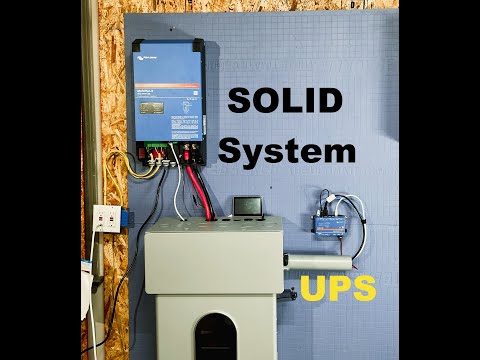
How to build a Reliable Victron 240v Split Phase Off Grid system | #victron MultiPlus-II #eg4
📦 Products Featured in This Video
EG4 Electronics
EG4 WallMount Indoor Battery 280Ah
Buy on Signature Solar →Affiliate link — we may earn a commission if you purchase through this link, at no extra cost to you.
Victron Energy
Victron MultiPlus-II 48/3000
This listing is no longer available at Signature Solar.
Original listing removed; the UL-listed 48/3000 is the current listing.
See the current model: Victron MultiPlus-II 48/3000 (UL listed) →Affiliate link — we may earn a commission if you purchase through this link, at no extra cost to you.
Victron Energy
Victron Cerbo GX
This listing is no longer available at Signature Solar.
The store redirects the original Cerbo GX to the MK2.
See the current model: Victron Cerbo GX MK2 →Affiliate link — we may earn a commission if you purchase through this link, at no extra cost to you.
Victron Energy
Victron GX Touch 50
Buy on Signature Solar →Affiliate link — we may earn a commission if you purchase through this link, at no extra cost to you.
Parts list for this build
Comparison that includes this video
🔗 Links Mentioned
Affiliate link — we may earn a commission if you purchase through this link, at no extra cost to you.
📝 Description
Affiliate link — we may earn a commission if you purchase through this link, at no extra cost to you.
Discount Coupon code ($50 off $500): GET50TGBATG
EG4-WallMount Indoor Battery | 48V 280Ah : https://signaturesolar.com/eg4-wallmount-indoor-battery-48v-280ah-14-3kwh-indoor-heated-ul1973-ul9540a-10-year-warranty?ref=bkpkbxde
Victron MultiPlus-II 48/3000: https://signaturesolar.com/victron-multiplus-ii-48-3000-48v-input-3000w-output-120v-35a-charger-transfer-switch/?ref=bkpkbxde (no longer available at Signature Solar — current model: Victron MultiPlus-II 48/3000 (UL listed). Original listing removed; the UL-listed 48/3000 is the current listing.)
Victron Energy Cerbo GX: https://signaturesolar.com/victron-energy-cerbo-gx/?ref=bkpkbxde (no longer available at Signature Solar — current model: Victron Cerbo GX MK2. The store redirects the original Cerbo GX to the MK2.)
Victron Energy | GX Touch 50: https://signaturesolar.com/victron-energy-gx-touch-50/?ref=bkpkbxde
batterysolarinverteroff gridvictroneg4tesla48v
🎬 Related Videos

📝 Video Transcript
hey what's guys I'm back to the channel this episode is going to be all about victron and on this episode we're going to show you and walk you through how to set up a 2unit 240 volt split phase system paired with what I believe is the best battery combination making it a you know complete off-grid system which is really really rock solid with good quality and capabilities and later on we're going to do a load test by charging the Tesla so let's get to it these two units are exactly the same it's the same unit in two and that's kind of what you need in order to set up a multi-unit system with vixon especially if it's going to be split phase and this is the multi plus 2 Series the 48 volt 300v 35 amp charger so what that really means is it's a 48volt system 3000 VA is volt ampere so if you want to convert that to real power or Watts you know obviously depending on whatever you put it you want to take 3,000 time7 that's pretty much how many watts it can do for most consumer electronics if you have like other electronics and stuff more inductive loads you may want to use a different power factor but victron rates these in VA you can I just told you pretty much an easy way to convert to wats in case that's what you really wanted to need and this is a 35 amp charger which means it can charge your 48 volt battery at 35 amps granted you're giving it enough juice to do that right so with these multiplus units it also has has an automatic uh transfer switch built into the unit which is also really great quality and on this specific unit uh it has a transfer CA capacity of 50 amps okay so this is 120 volt inverter and if you are shopping around for victron inverters make sure if you're in the US you're looking at the US model and if you're let's say otherwhere everywhere else like Europe or whatnot make sure you're looking at the European model because they do make units that are 230 Volts for Europe and 20 Volts for us you can technically get the 230 volts uh us but you'll probably need to step it down uh using an auto Transformer and that's a you know probably more advanced series we'll probably cover later but the point is make sure you get two units that are exactly the same all right so I will also go ahead and say this this unit is only 3,000 VA they do make this multi plus 2 Series in multiple different uh let's call it voltage ranges so they make a a 12vt model they also make a 24 Vol model and a 48 volt model there may be other models stuck around somewhere else but those are going to be the primary models you have and on each voltage there are other units for I think it was like 2,000 VA 3,000 I think there's also a 5,000 8,000 10,000 15 so that it all varies and depending on which uh model you really get the transfer capabilities the charge capabilities also change according to that unit right so uh just make sure you keep that in mind in this example obviously we're going to be using 3,000 VA units but when you are getting one uh and you're going to set up split phase make sure you get two that are going to be exactly the same all right so first of all going up on here the front panel uh this obviously this has a charger side it tells you pretty much the state of charge that's going on as you progress through your charge State uh this also is obviously an inverter so it tell you that if the inverter is on if it's overloaded you know low battery and all these kind of things to it right so uh this is a low fre quency uh toodo based uh Transformer so unlike the other inverters that we've seen so far on this channel which are mly high frequency based this actually uses a really big and heavy Transformer to take to pretty much convert the voltage and the power from DC to AC so uh victron I believe is one of the few uh most of all the other ones currently on the market are going to be high frequency Transformers if you don't know much about that we'll probably try to cover that in a different video but just know that there are two different classes of uh inverters that are currently available on the market we're not going to get into the pros and cons of each one but uh we will point out with a low frequency inverter you can handle a lot higher surge capacity and it is also significantly heavier than a low frequency based unit of the same class coming around to the connection let's talk about this this right here is your ac1 block here's your ac2 block and here is your ACN this uh uh White cable here is just is your standard ethernet cable is connected to ve bus and the other end of this cable is connected to the other unit on VE bus uh this uh connection right here is your uh inverter ground and then it's connected right now with the 10 gauge wire connected to the other ground points on the system this right here is obviously your DC in uh so plus minus and here is a switch which has the position one and two uh depending on which position you put it in it can do charge only function which means the inverter won't be on or you can just turn it to on which means it's on full operation mode all right so let's talk about ac1 and two and AC in here real quick mainly because this has what uh the automatic transfer switch built-in as we talked about earlier right so first of all ac1 out has a ground a neutral and a hot the ac2 out also has a ground neutral and a hot and AC in has a ground neutral and hot and remember this is a 120 volt unit singlephase unit what that really means is there's only three wires right so uh on this case if you have AC uh connected in or AC in Connected you do have to connect it to both units right so when AC in comes in it Powers both uh ac1 and ac2 but when power is no longer available or coming in the automatic transfer switch built into here transfers the ac1 circuit only to be powered by the inverter so what that really means is it's pretty much like a UPS unit if you've used them before if you look on the back you know there is what they call like surge only right and then there's another uh chain of circuits which are battery backup that's pretty much exactly what's happening here right except on a you know much larger scale so to say mainly because uh ac2 out is not powered when AC in is has no more power and then ac1 is always powered whether you have AC power or not right the beauty of these uh transfer switch units also is that besides it being automatically built into the unit is also is that it's a really fast cut over so if you have sensitive Electronics you don't really have to worry about you know the cut over speed because it's almost instantaneous right so uh computer and stuff you have connected to this top unit you won't really have any issues with that so backing up out of here let's go ahead and talk about the connections to the units real quick so this is a RJ45 ethernet cable standard cable that comes out of this unit and it connects to ve bus on this unit and there are two ports it doesn't really matter which one you connect it to because uh it's pretty much think of it like an Ethernet type switch right so uh you don't doesn't matter whether you connect it on the first port or the second port for ve bus uh as long as they're connected together that's all that really matters there is a second ethernet cable that comes out of here and that connects it to the victron Sero GX we'll talk about that in a second uh but you can connect the victron Sero GX to either this unit or this unit it really doesn't matter as long as the victon servo GX is connected to uh the any one of these inverters using ve bus that's the beauty of ve bus there is another type of a communication protocol which we don't need to use in this type of situation but uh that's how that really works and as you can see here on this unit the ac1 is connected with neutral ground and hot but in this case we used a red wire on on this unit because you know it is one leg of a 240 volt circuit and on this leg we use the black wire because it is another leg of the 240 volt circuit right so if you look at it uh each way the voltage across or coming out of each one is in uh uh 120 volt split phase right here here but if you take the voltage across the hot and the hot because they're 180° out of phase it will be 240 volt split phase so this unit right here is the eg4 indoor wall mount battery and I believe this is the best battery for this type of system we're going to talk a little bit more about that in just a second um I would highly recommend getting this battery but also if you're going to get this battery I would highly recommend getting this unit right here which is the eg4 indoor uh wall mount batteries conduit box which is designed uh to be used with this unit right they are sold separately Unless somehow they started selling them in a kit which I haven't seen so make sure you get the conduit box I believe it's worth the extra was it like 100 bucks or so or whatnot in this case right so uh down here we'll talk about the battery more in a bit but on top of the battery itself the reason it's really popular is that it's a 14 I believe point8 uh KW hour battery pack that you can mount on the wall this battery is indoor rated only right so you know obviously these inverters are also indoor rate only so it's a good pairing but uh on top of that these uh this battery comes with these connectors right so it does come with two black cables and two red cables these cables are two OD cables and um because there's two of them it actually works perfectly one pair for each battery right and not only that it uh the battery also has 600 amp bus bars installed on top of the battery right so uh this battery is really popular for many of those reasons but also the connections to this is called a quick connect some people may call these uh what do you call infano connectors but I would say technically that's incorrect cuz infol is really a brand uh infol is really synonymous with this type of connectors kind of because they made the connection really popular but then other brands have kind of picked up on it and kind of made it more uh like they they kind of built off of it right so uh this connection right now is what they call a quick connect but this brand is called dexon connector and if I can get one out of here see it uses a quick connect cable like this which this cable comes already crimped like this right so uh all you have to do is you press this in and then you wait for it to snap and once it snaps it's a good solid connection and these uh connectors are rated to carry the load that these cables can carry right so as you can see here there's four slots right uh on each side on the negative side and on the positive side so uh that makes it really nice to use the white cables in here stuff we talked about already uh this box is also grounded to the grounding unit right this uh green cable here on the corner is for this front panel just know that all of this gray stuff you see in here is actual metal and not plastic all right so with that this blue cable here is a battery BMS Communications and the other end of this blue cable goes to the Sero GX we do have a separate video completely dedicated to BMS connect uh connection between this battery and the Sero GX so if you're interested in that make sure you check that out uh but uh all of this stuff in here is pretty nice and tidy pretty much once you close the box but like I said everything in here is really included when you get this except for pretty much the ethernet cables which are you know going to be ubiquities you can find them pretty much anywhere right so you probably already have some laying around inside of your house and this right here is the battery screen uh the battery screen is really nice to have because you can actually tell you know pretty much all the specifications you need what's going on with the battery but also on the battery uh screen is also this F fuel gauge builtin you know denoted into like four different sections of how much battery capacity you have left and the screen also tells you how much battery capacity you have left that's really nice to see right so not going to go in super detail but like I said the voltage is here the capacity is here the ampage or drawing is here and then the mode is here right so if you're uh right now it's on standby because I don't have the breaker flipped but if you're charging it'll say a charging if you're discharging and it'll say discharging and it also tell you at roughly how many amps it's going in and out right all this other stuff on here uh right now I have it set to a victron uh communication so that's what this canvus really says but also you know voltage and you can go in and check all the cells uh temperatures and voltage and stuff like that but we don't need to get too much into that just know that this battery we also have a separate review of this uh like I said but this battery is a really good unit for this because you also get a lot of visual feedback from this screen so moving on to the monitoring part of this unit this is the victron Sero GX and this is pretty much the monitoring unit for uh this entire victron system and this can do a lot of different capabilities but I'm going to tell you what we have covered in here or set up in here which is this is an HDMI cable that goes to a screen you do have to buy the screen separately and then this is the uh pretty much power and also feedback that kind of comes back with uh that screen because it is a touchcreen this white cable here um is the cable that we showed you earlier that connects to one of the inverters is connected to ve bus here and then this blue cable is the another customade ethernet cable that we made that connects the BMS bus can port to uh the battery and that way this entire system knows what's connected with the battery how much it's going in out capacity all of that stuff right so this unit we have set up for Wi-Fi Communications it does uh communicate via wifi to what they call called the vrm portal which you can log into online and also see right but you can also connect to uh using the app and also see uh so it's really nice to have because you can log you can look at it from remotely you can be completely not close to the system and look at it remotely and you can look at it in person because there's also a screen and you can also use the app right so this is a really nice plus to have I would definitely recommend spending what it is like the 200 bucks or what it was to get uh this unit mainly because because uh you definitely want monitoring metrics and all that stuff about your system that way you know what's happening at all times right this cable right here is just a power cable that's connected to the battery it does have to have a a battery connection it is fused but it does take one extra connection so this right here is a touch 50 and this touch 50 is connected to uh the serbo GX using the HDMI cable and ethernet cable we showed you earlier right so uh is a touchcreen and right now we do have it on so we're not going to touch any of the connections but this red icon red box here is your grid power I don't have grid connected but if you had grid connected you would see trans transmission lines and also power flowing if we were consuming it right and this right here is your battery box right now the battery is at 87% it's pulling 63 Watts at 53.2 volts and 1.2 amp coming out the the flow of dots as you can see here is the flow of electricity so in this case the electrons are flowing out of the battery and going into the inverter here's the status of the inverter these little dots here um you'll see on the right side it is reflective of the dots that's actually on the inverter right so in case you didn't you had the inverters mounted somewhere remotely whatever dots are on here it's going to the exact replica of what's going on there so this inverter system is inverting as you can tell and then right now we do have AC loads connected to it uh it's just a really small fan so it's only drawing like 40 Watts but line one which is you know only pushing six Watts so if you want to look at in terms of idle consumption you could kind of argue this is five watt five or six watts of idle consumption with the inverters being on and no load being powered but I think it's actually a little bit more than that we have to double check but you know nothing is really happening right now on this one inverter so I will cover real quick uh because I know some people are are worried about line balancing so on this type of system because you have two uh Transformer based inverters in a way set up for split phase um uh you don't really have to worry about line balancing as much as you would in a high frequency single unit 240 uh volt uh split phase inverter right because those units use high frequency inverters um you have to worry about line balancing in order to balance it out but in this type of system you don't have to worry about it as much because the line limit is going to be capped at the capacity for the smallest inverter or any single inverter because you have to use you know matching units right so uh in this case the maximum line balance uh unbalanced this is going to be able to handle is let's just say 3,000 or up to 3,000 uh VA mainly because that's the size of this inverter but you know if you wanted to draw one uh let's just say 2,000 Watts from one inverter and then uh nothing from this other one you won't really have a problem with that in terms it being able to handle that but you will have an issue uh trying to maximize the output of your entire system because you know you're going to be capped at that so in case you're wiring it to a load panel you definitely have to keep that in mind because you know the smallest inverter is going to be the the weakest link in this kind of case but if you're worried about you know oh we got big devices coming on and off line that are single phase then that's going to be you know a small problem but not really a problem in this type of system right so another beauty of this type of system here's another way way to look at the screen this pretty much the same information just really more of boxes telling you what to do instead of diagram uh if you click on it you can go into this thing called menu and you can go into all types of stuff we're not going to go into everything in detail but we will cover some of the basic stuff theice list will tell you all the devic that are connected so obviously we have the eg4 uh indoor wall mount battery connected but it comes with as eg4 LL the specs of the battery are in here if you go in here you can tell the state of health charge alarms parameters and all kinds of stuff so because we have VMS connection uh Communications working all of the nice stuff you need is really in here this right here is a state of your inverters uh tells you what's going on if the AC input is uh active or not so like I said not all the details but it tells you also in here the specs of everything right so it's really nice to have this because you can see all the specs of all the stuff going on with your system in person in front of your system and also online if you have it connected to the internet notifications is here right now there's no notifications but settings allows you to change pretty much all the stuff going on with the system we're not going to go into every settings here because we will spend hours just going over the settings but uh out of the box you need very minimal Comm uh configuration in order to get it to work you just need to install it connect the cables change maybe three or four parameters and you are good to go so this right here is the load panel or the load Center uh this unit is a load Center and not a sub panel so let's talk about how it's going on up in here all right so so this black wire is the uh one inverter coming in this other black wire is the other inverter coming in the neutrals go to the neutral bar and then the grounds go to the ground bars right and the hots connect to this two pole breaker uh this breaker right here is you know power going out so uh don't worry about that one right now but right now the neutrals are on one bus the grounds are on another bus and then the ground neutral bond is happening right here in with that green uh bonding plug so a load panel will come with that uh but in any system you really need just one spot to do the neutral and ground Bond and then this system is happening right there all right so if I go ahead and take this multimeter see if you can see it on the screen uh you can kind of see it there right so if I go from hot to hot right you should get 240 volts because that's how split phase kind of works right so you can see right there 240 volts I hope you can see it cuz I can't see the camera on what you see but if I go ahead and go from one uh leg to the to ground you should get 120 volts as you see right there right and if I go from the other leg to uh neutral I don't know if I said ground or neutral but neutral you get 120 volts right so 120 volts each leg but if I go from hot to hot you should get 240 and that's how split phase uh that's where the split phase uh not or naming really kind of comes into play right so that's how that is is this right here is connected to a 30 amp breaker using a 10 gauge wire going out it's going out to I think it's like 1450 uh 30 plug and that's how we're powering just one load but that's how uh the load Center would really be connected 50 amp outlet to connect the Tesla mobile charger and the Tesla mobile charger is on and connected to this Tesla over here so this Tesla is currently being charged if we go take a look at the screen the screen says uh there's about 4600 Watts going into the load Center and right now because the load Center only has one circuit that's pretty much only the Tesla and if you look here L1 L2 is each inverter respectively so each inverter is pushing roughly around 2300 Watts this right here is the eg4 indoor wall mount battery so we got about close to 5400 Watts coming out of the wall mount battery which is about 105 amps going into the victron inverters and the inverters are pushing 4600 watts into right now this test the mobile charger so this right here is only set up for a load test right now I obviously do not set it up this way or you know clean it up and you know make it more compliant you know obviously don't have all these cables stuff like that hanging down so like I said this is only for a test temporary not to be installed this way permanently but if you want to know can the victron uh multi plus 48 volt offgrade inverters be used to charge a Tesla right at 240 volts the answer is definitely yes right cuz right now we were charging roughly around 4600 Watts but that's because right now we only have to 3,000 VA inverters right so if you want to charge at faster or higher speeds I would definitely uh encourage getting the 5,000 VA inverters or the 10,000 or even the 15,000 VA inverters and then you could get maximum power pushed to your car or your charger or your load Center whatever you want to do right obviously you're going have to upgrade the wires and you're going to need more batteries if you're going to push that many uh Watts or power into it so that's how the system works and that's how it's configured right and speaking of configure let's talk about this so you do have to program these inverters to work in Split phase uh we do have dedicated uh video on the channel on how to do that we use the victon V bus to Mac and a MacBook to kind of get that working so it's pretty straightforward we were able to figure it out on our first try I don't really see anybody having too many challenges with that um in case you're going to go through it I will say it doesn't really matter which one you select as L1 and L2 because it's only a two unit split phase system so whether which one is L1 L2 it's not really going to matter unless you're going to be having issues or you think you're going to be having issues with the load and it like cutting off but then you obviously see that on the face of the inverter so you know uh just point of note right so anyways other than that let's go ahead and talk about some of the pros and cons right so the pros and cons to a lowf frequency a Transformer based inverter is going to be that one is that they're Hefty a lot of people are going to say that so if you're going to install this in a place where weight is a concern you know obviously take that into account but I will also point out um because it's a low frequency Transformer based inverter it doesn't have a lot of other electronic circuitry as you would in a high frequency inverter and most people know high frequency invers electronic circuitry a lot of the stuff will eventually fail right obviously everything fails eventually but it just seems that the anecdotally speaking uh the the failure rate or chances of a component failing inside of that entire circuit board is going to be higher if you have more components right versus a Transformer so that's also something to take into consideration but I do want to point out something with heftiness mainly because everybody always says you know oh they're going to be heavy right so the point is if it's heavy yes it's downside but you only have to deal with it once right so when you're installing it once it's installed it's not like you're moving it a lot unless you're just always mobile or something like that right but if you're installing in a stationary system or even in RV you're just move installing it one time you know is that really a concern just you know something to think about right the other thing to point out is that uh these units as we talked about earlier have transfer switches built into it uh we do have a a video showing uh the transfer switch if you want look at that go take a look at it which is a huge plus but you know uh other high frequency you know all-in-one systems will also have trans uh transfer strees built into them so you know that's also not you know too much of a huge plus but the other plus is that uh the good allinone units will have a good cut over time this one will also have a good cut over time right so that's also really good to know right and as I mentioned earlier these uh inverters paired with the ag4 indoor W mouth battery is a huge plus cables come with it uh you get a conduit box the battery has you know uh Communications working it's got a screen you got bus bars everything you need right so you just need to buy just a few components a few cables wire it up and you're good to go and if you have capacity ISS you can always just get bigger inverter chargers right uh these are actually called inverter Chargers but I've just been calling them inverters mainly because if you have AC connected you can use them to charge the battery right so we obviously didn't talk about the solar component uh but main solar component is going to be straightforward you'd have to have another uh unit which is going to be a solar controller it takes the solar uh energy and uses it to charge the battery uh you know that's really straightforward you know so if you want to know more about that we can talk about that later but the point is this is a really good system and I really do think that this system will work you know pretty much a long time for a while we've actually been using it to charge the Tesla just to like load test it and stuff like that but uh you know we haven't had any issues and I can't imagine too many people having issues so if you do have an issue Post in the comments below because I would really like to know about it and uh besides them running silently and just always working you know I don't know what else can really go wrong like I said issues questions concerns let us know otherwise have a gr great day get back to work thanks for watching and we'll see you guys next time